

How to follow work meetings when you are hard of hearing
Share an agenda, ask for one speaker at a time, request captioning or CART, get notes after. US ADA and UK rules, plus live captions on your phone.
 Nate from Captio AI8 min read
Short answer
To follow work meetings when you are hard of hearing, ask for an agenda in advance, a well-lit quiet room and one speaker at a time with raised hands [3]. Request captioning such as CART [1][2], and ask for the recording or notes afterwards [3]. In the US the EEOC says no magic words are needed to ask [1]; in Great Britain the Equality Act 2010 covers reasonable adjustments [6][7], and Access to Work can help with costs [4].
430 million8
people worldwide need rehabilitation for disabling hearing loss, according to the World Health Organization
No magic words1
are needed to ask for a reasonable accommodation under the ADA, says the US Equal Employment Opportunity Commission
Not 100%3
accurate: RNID says automated captions in meetings are not 100% accurate, so hearing colleagues can support you by turning captions on as well
On this page
- What should you ask for before a work meeting?
- What can you ask your employer for in the US?
- What can you ask for in Great Britain?
- Which meeting habits help most during the meeting?
- Are automatic captions enough for a work meeting?
- How can your phone caption an in-person meeting?
- What do you do after the meeting?
- What about interviews and meetings in another language?
- Which option fits which meeting?
You can follow work meetings when you are hard of hearing by changing three things: how the meeting is run, how you read what is said, and how you get the content afterwards. A meeting is hard because several people talk, often fast, often at once, and nobody tells you who is speaking next. The steps below follow the order you live them: before the meeting, during it, and after it. They also cover what you can ask your employer for in the US and in Great Britain.
This is general information from the sources linked below, not legal advice. For your own case, ask your HR team, a disability adviser or an official body.
What should you ask for before a work meeting?
Before a work meeting, ask for an agenda, a bright quiet room and a plan for who speaks when. RNID, the UK charity for deaf people and people with hearing loss, tells meeting organisers to share an agenda in advance, to choose a well-lit venue without lots of background noise, and to ask early whether attendees need a British Sign Language (BSL) interpreter or a text alternative to speech3. If you are the one who is hard of hearing, you can send the organiser that list.
A short message you can adapt:
- Say what helps: "I follow best when one person speaks at a time and I can see faces."
- Ask for the agenda and any slides a day before.
- Ask for captions, CART or a note-taker, and say which one you prefer.
- Ask for the recording and transcript afterwards, if the company records meetings.
The Job Accommodation Network (JAN), a US service on workplace accommodations, advises employers to check in with employees to make sure the accommodation is effective2. As our suggestion, ask the organiser to check with you after the first meeting.
What can you ask your employer for in the US?
In the US, you can ask your employer for a reasonable accommodation such as CART, and the Equal Employment Opportunity Commission (EEOC) says there are no "magic words" you have to use1. The EEOC guidance names communication access real-time translation (CART), which turns voice into text at real-time speeds, as an accommodation, and gives an example of an employee who asks for remote CART during international client meetings1. It also lists the captioning feature on virtual meeting platforms among mainstream technology that can help1.
An employer does not have to provide an accommodation that would cause undue hardship, which the EEOC defines as significant difficulty or expense, and it may offer an easier or cheaper option if that option is effective1. So expect a conversation about what works, not a single yes or no. Keep your request in writing, as our suggestion.
What can you ask for in Great Britain?
In Great Britain, the Equality Act 2010 section 20 sets a duty to make reasonable adjustments, and says the person under the duty may not make the disabled person pay any of the costs of complying6. The section also covers auxiliary aids where a disabled person would otherwise be at a substantial disadvantage6. The legislation.gov.uk page on extent says the Act is part of the law of England and Wales and extends to Scotland, while it applies in Northern Ireland only through a few listed sections7.
GOV.UK also describes Access to Work, a grant for practical support at work, such as specialist equipment or support workers like a BSL interpreter412. You must be in paid work, or about to start or return to it within 12 weeks, and live and work in England, Scotland or Wales5. GOV.UK says Access to Work will not pay for reasonable adjustments, which are changes your employer must legally make, and that you may need to pay some costs up front and claim them back412. The pages I opened do not state a maximum grant, so ask the Access to Work helpline5.
| Place | What the sources say | Source |
|---|---|---|
| US employers | No magic words to ask; CART is a named accommodation; limit is undue hardship | 1 |
| Great Britain | Duty to make reasonable adjustments; you cannot be charged for them | 67 |
| England, Scotland, Wales | Access to Work grant for practical support; not for adjustments the employer must make | 4512 |
| Northern Ireland | Access to Work has a separate system | 5 |
Which meeting habits help most during the meeting?
The habits that help most during a meeting are one speaker at a time, hands raised before speaking, faces visible and little background noise. RNID says to ask attendees to raise their hands before speaking so people with hearing loss can see who will speak next, and to remind people to speak one at a time if they talk over each other3. RNID also says lipreaders need to see lip movements and expressions, so cameras stay on and mouths uncovered3. RNID also asks for a bright room with few distractions3. For a team meeting in an office, sit where you can see most faces and away from the door or the coffee machine, as our suggestion.
It is also easy to lose the thread when a topic changes. Ask the chair to say the topic and the decision out loud when it changes, as our suggestion.
Are automatic captions enough for a work meeting?
Automatic captions help in a work meeting, but RNID says automated captions are not 100% accurate, and that hearing participants can support colleagues by turning captions on as well3. JAN says automated captioning is convenient and affordable, while remote CART may be a better option when speakers have strong accents, dialects or technical jargon2. JAN also suggests testing several tools to see which suits your team2, and choosing a video platform that lets people call in by phone, which can help people who connect hearing aids or cochlear implants more easily that way2.
So for a routine team stand-up, automatic captions on the platform may be enough. For a client meeting with names, numbers and jargon, ask for CART or review the notes afterwards. Our article on how accurate automatic captions are shows what research says about error rates, and what CART captioning is explains how human captioners work.
How can your phone caption an in-person meeting?
For an in-person meeting, your phone can show the speech as text on the table in front of you. Captio AI, a live captioning app for deaf and hard of hearing people, shows what people say as it is spoken, and its meetings page says to put the phone flat on the table in front of you, with the microphone facing the centre of the room or the most active speaker9. It labels each speaker separately so you know who said what10, and you can add names and specialist words in advance, such as a colleague's name or a project term10. Text size, background colour and contrast can be changed10. If you connect AirPods or another microphone, Captio AI on iPhone asks which microphone captions should use; see our guide to choosing the microphone for live captions.
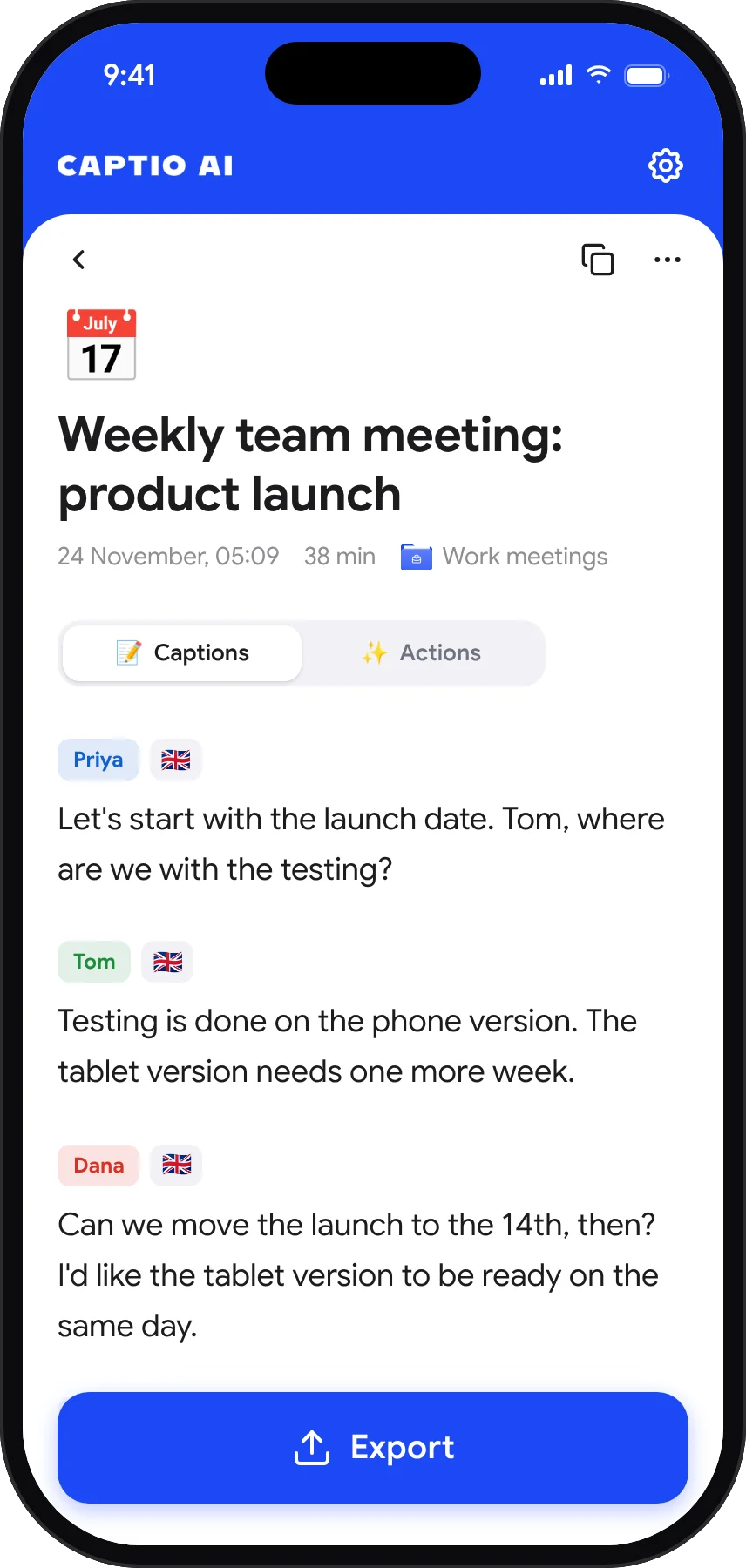
Limits matter at work. Live captions need an internet connection10. Captions can contain mistakes, so check names and numbers before you act on them; our guide to fixing wrong words in a transcript shows how. With several people around a table, seeing who is talking in live captions explains how the tags work. Captio AI is built for in-person speech and is not a phone-call or video-call captioning service, so on a video meeting use the captions of your meeting platform and the steps above.
What do you do after the meeting?
After the meeting, get the content in writing and turn it into tasks. RNID suggests sharing the meeting recording and transcript afterwards for reference3. From a transcript, Captio AI makes a Summary, Key points, Detailed notes, To-dos, Questions and answers or a Follow-up message, and uses the speakers' names from your captions so owners and quotes are right; the free plan includes 3 AI results in total11. Read the AI Summary page for what each one does.
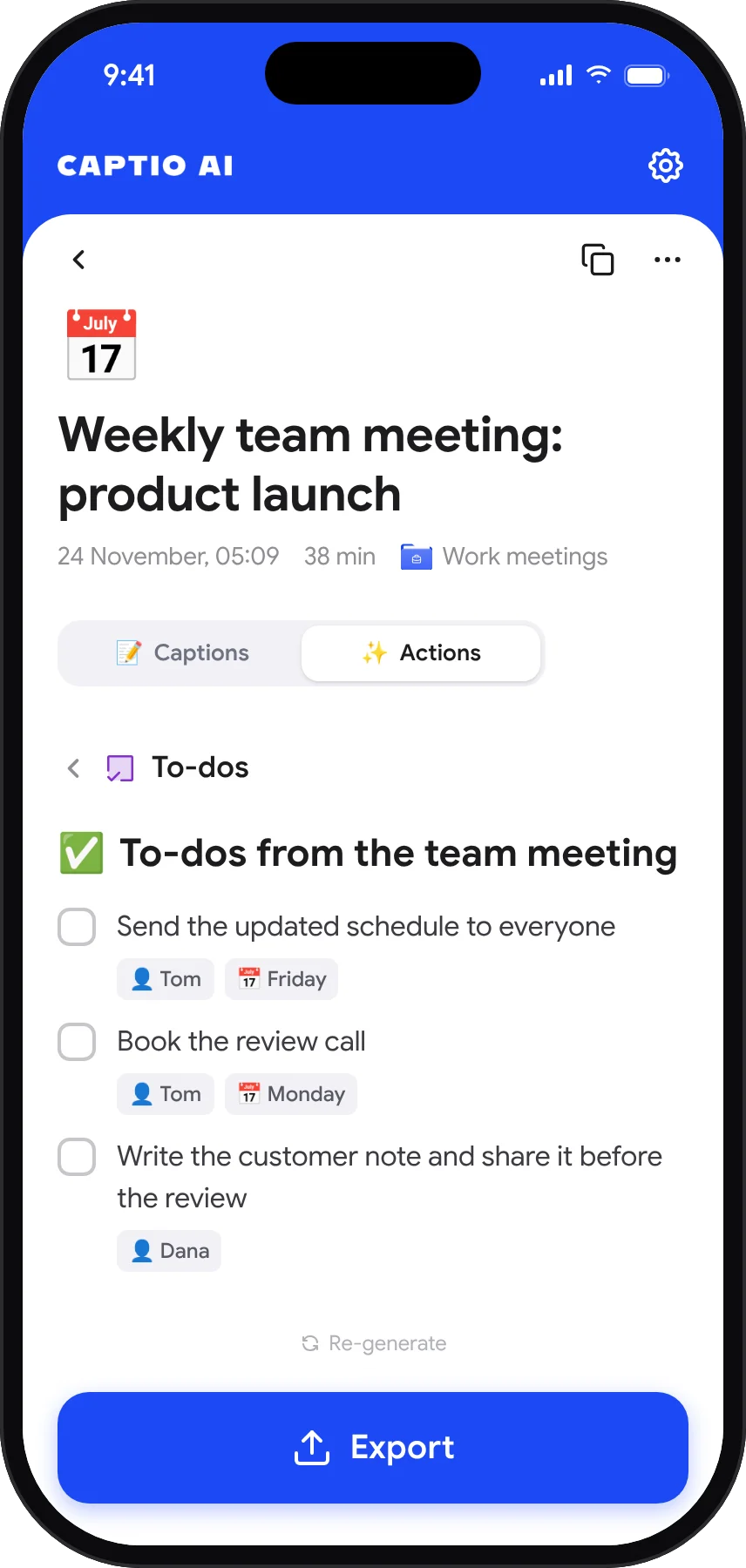
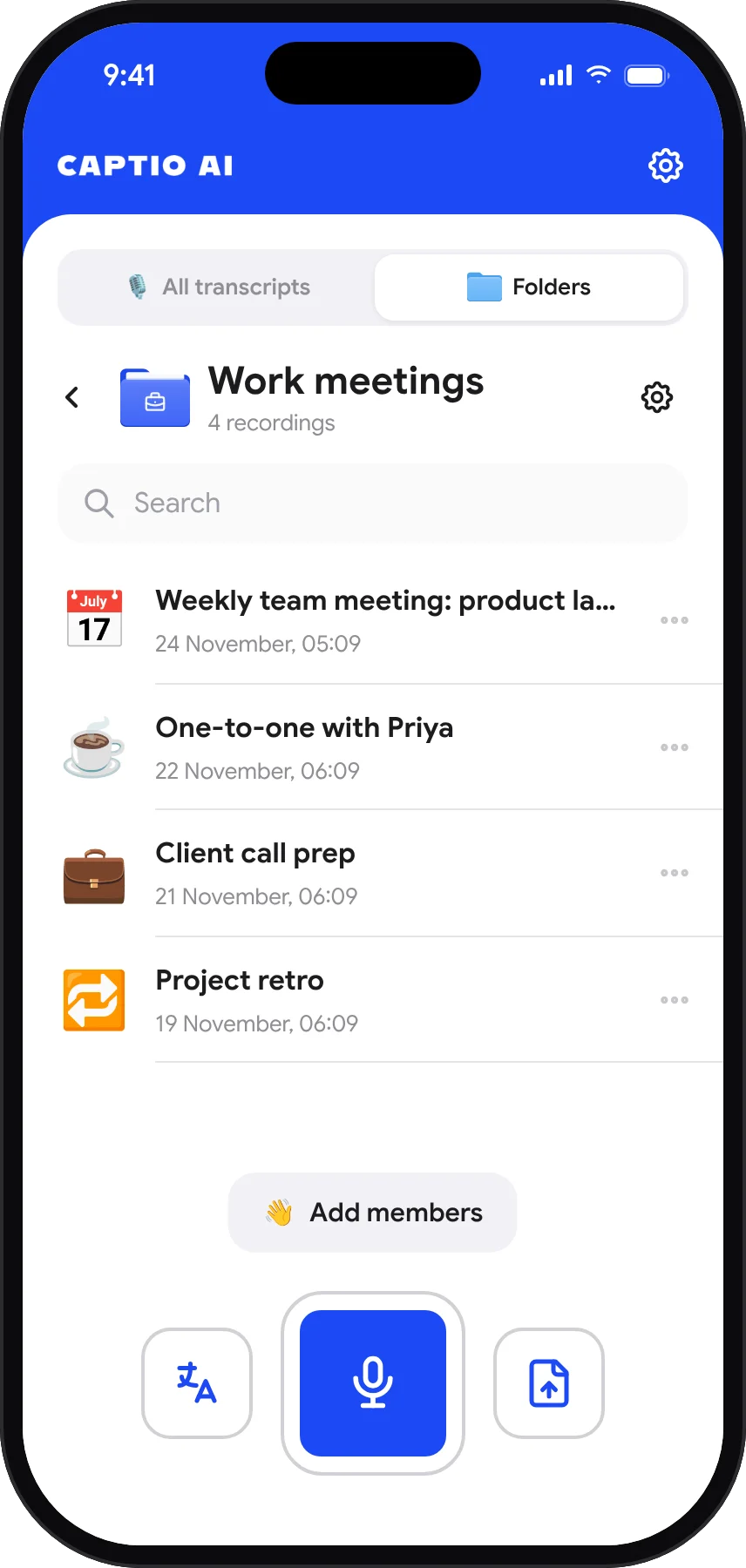
An AI summary is a memory aid, not the official minutes. Check decisions and dates against the meeting notes before you send anything to a client. If your team shares recordings, a shared folder keeps them in one place.
What about interviews and meetings in another language?
For a job interview in Great Britain, GOV.UK says Access to Work can help pay for communication support if you are deaf or hard of hearing and need a BSL interpreter or lipspeaker4. Tell the employer before the interview what helps, as our suggestion.
For a meeting where colleagues switch between languages, Captio AI's Live Translator translates speech in real time and handles mid-sentence language changes9. Our guide to captioning a conversation in two languages walks through it, and the site has live captions for meetings in German as an example language page.
Which option fits which meeting?
| Meeting | What to try first | Why |
|---|---|---|
| Weekly team meeting in a room | Agenda, raised hands, phone captions on the table | Cheap, no booking39 |
| Client meeting with jargon | Ask for CART, review notes after | Automated captions are not 100% accurate23 |
| Video meeting | Platform captions, cameras on, recording and transcript after | Captions help; lipreading needs faces13 |
| One-to-one with your manager | Say what helps; face each other in a quiet room | Fewer voices, less noise3 |
| Job interview in Great Britain | Ask about Access to Work communication support | BSL interpreter or lipspeaker4 |
About 430 million people worldwide need rehabilitation for disabling hearing loss, according to the World Health Organization (WHO)8, so you are one of many colleagues asking for this. Captio AI is one tool among these options and does not replace a human captioner, an interpreter or the accommodations you are entitled to. Learn more about live captions for meetings.

Read what people say, while they say it
Captio AI puts live captions on your phone for conversations, appointments, lectures and meetings, in 60+ languages. Free to start. Private by default.
Frequently asked questions
How do I ask my US employer for captioning in work meetings?
The US Equal Employment Opportunity Commission says there are no magic words a person has to use when requesting a reasonable accommodation [1]. Tell your manager or HR that you need a change because of your hearing, such as CART, which turns speech into text in real time [1]. Keep the request in writing.
Can an employer in the US refuse captioning for meetings?
The EEOC says an employer does not have to provide an accommodation that would cause undue hardship, meaning significant difficulty or expense, but may offer an easier or cheaper option if it is effective [1]. Ask your employer which options it can offer, and ask JAN or the EEOC if you are unsure.
What help can I get in the UK for meetings at work if I am deaf or hard of hearing?
In Great Britain the Equality Act 2010 sets a duty to make reasonable adjustments and says the person under the duty cannot charge the disabled person for them [6][7]. GOV.UK says Access to Work can give a grant for practical support such as a BSL interpreter, but it does not pay for reasonable adjustments your employer must make [4][5].
Are automatic captions good enough for a work meeting with technical jargon?
The Job Accommodation Network says automated captioning is convenient and affordable, while remote CART may be a better option when speakers have strong accents, dialects or technical jargon [2]. RNID adds that automated captions are not 100% accurate [3]. For a team meeting full of jargon, ask about CART as well.
How can I keep up with a work meeting held in two languages?
Captio AI, a live captioning app for deaf and hard of hearing people, has a Live Translator that translates speech in real time and handles mid-sentence language changes [9]. In a meeting where colleagues switch between English and German, put the phone on the table and check the key points afterwards, since captions can contain mistakes.
Do I need an internet connection for live captions in a meeting room?
Captio AI needs an internet connection for live captions [10]. Without one it can still record, and the recording is transcribed when the phone reconnects. If the meeting room has weak Wi-Fi, mobile data can work as a fallback, as our suggestion.
Does Captio AI replace CART or an interpreter at work?
No. Captio AI is one tool among your accommodations. It does not replace a human captioner or interpreter where you are entitled to one. The free plan includes 3 AI results in total [11], so ask your employer about formal support as well.
Sources
- 1Hearing Disabilities in the Workplace and the Americans with Disabilities ActU.S. Equal Employment Opportunity Commission, 2023
- 2Accommodating Deaf and Hard of Hearing Employees in Virtual MeetingsJob Accommodation Network (JAN)
- 3Accessible meetingsRNID, 2026
- 4Access to Work: get support if you have a disability or health conditionGOV.UK, 2026
- 5Access to Work: eligibilityGOV.UK, 2026
- 6Equality Act 2010, section 20: Duty to make adjustmentslegislation.gov.uk, 2010
- 7Equality Act 2010, section 217: Extentlegislation.gov.uk, 2010
- 8Deafness and hearing loss (fact sheet)World Health Organization, 2025
- 9Live captions for meetingsCaptio AI, 2026
- 10Live CaptionsCaptio AI, 2026
- 11AI Summary and actionsCaptio AI, 2026
- 12Access to Work: what you'll getGOV.UK, 2026
Written by Nate from Captio AI. Published 24 November 2026. Every figure on this page links to its source. Spotted a mistake? hello@captioai.app