

How to fix wrong words in a transcript
Automatic transcripts get names and rare words wrong, even when most of the text is right. Here is how to find the errors and fix a word everywhere at once.
 Nate from Captio AI6 min read
Short answer
To fix wrong words in a transcript, check names, numbers and specialist words first and correct each error once. Speech recognition struggles most with rare names, as it prefers words it has seen often [3]. In Captio AI, a live captioning app for deaf and hard of hearing people, you can long-press a word to correct it everywhere in a recording, add it to Words and names for next time, or re-transcribe the recording.
0.35 vs 0.191
average word error rate for black and for white speakers across five commercial speech recognition systems, a 2020 PNAS study
99%4
caption accuracy that 3Play Media, a captioning company, calls the industry standard for caption quality
5 systems1
from Amazon, Apple, Google, IBM and Microsoft were tested in the PNAS study, and all five made more errors for black speakers
On this page
- Why do transcripts get names and rare words wrong?
- Which errors should you fix first?
- How do you fix a word everywhere in a Captio AI recording?
- How do you teach the app a word before the next conversation?
- When is it better to re-transcribe the recording?
- What about speaker names?
- Which fix fits which situation?
- How do you correct automatic captions on a video?
- How accurate does a transcript need to be?
To fix wrong words in a transcript, start with the words that carry the meaning: names, numbers, medicine names and course terms. An automatic transcript can be right almost everywhere and still get the one name you need wrong. Fix each wrong word once, in a way that corrects every other place it appears, then add the word to the tool's word list so it is less likely to miss it next time.
Why do transcripts get names and rare words wrong?
Transcripts get names and rare words wrong because speech recognition prefers what it has heard most. A magazine article on the topic explains that common words appear again and again in training data, while a surname, a place name or a specialist component may appear rarely or not at all3. When a name sounds like a familiar phrase, the recognizer has strong statistical reasons to pick the familiar phrase3.
For a deaf or hard of hearing reader this matters more than for someone who can also hear the speaker. A hearing person can often work out from the sound that a strange phrase was a surname. You often cannot, so for a deaf student in a lecture or a hard of hearing employee in a meeting, the transcript can be the only record of what was said. A wrong name or number stays wrong until someone fixes it.
Error rates also differ between speakers. A 2020 study in the Proceedings of the National Academy of Sciences tested five commercial systems on US speakers and found an average word error rate of 0.35 for black speakers and 0.19 for white speakers1.
Which errors should you fix first?
Fix errors in this order: numbers and medicine names first, then names of people and places, then terms you will search for later, then everything else. The order follows what a mistake costs you.
| What went wrong | Example | What a mistake costs | Priority |
|---|---|---|---|
| A number or dose | "15 milligrams" for "50 milligrams" | You may act on it | First |
| A medicine name | One drug name for a similar one | Safety | First |
| A person's name | A lecturer or a colleague | Wrong notes, hard to search; rare names are the likeliest to be missed3 | Second |
| A place name | A street, a ward, a campus building | You go to the wrong place | Second |
| A course or project term | A lab method, a product name | Wrong notes and wrong revision | Second |
| A small slip | A missing word that does not change the meaning | Little | Later |
For a doctor's appointment, check every medicine name and dose against the printout or the pharmacy label. Captio AI does not replace written instructions from a clinic, so treat the transcript as a memory aid and confirm the details. Our guide to following a doctor's appointment has a script for asking for them in writing.
How do you fix a word everywhere in a Captio AI recording?
In a saved Captio AI recording, you fix a word by long-pressing it and correcting it, and the correction applies everywhere that word appears in that recording. Captio AI underlines words it is unsure about, so you can start with those instead of reading every line. When you correct a word you can also add it to Words and names, the list of names, medical terms and specialist words the app uses for your conversations6.
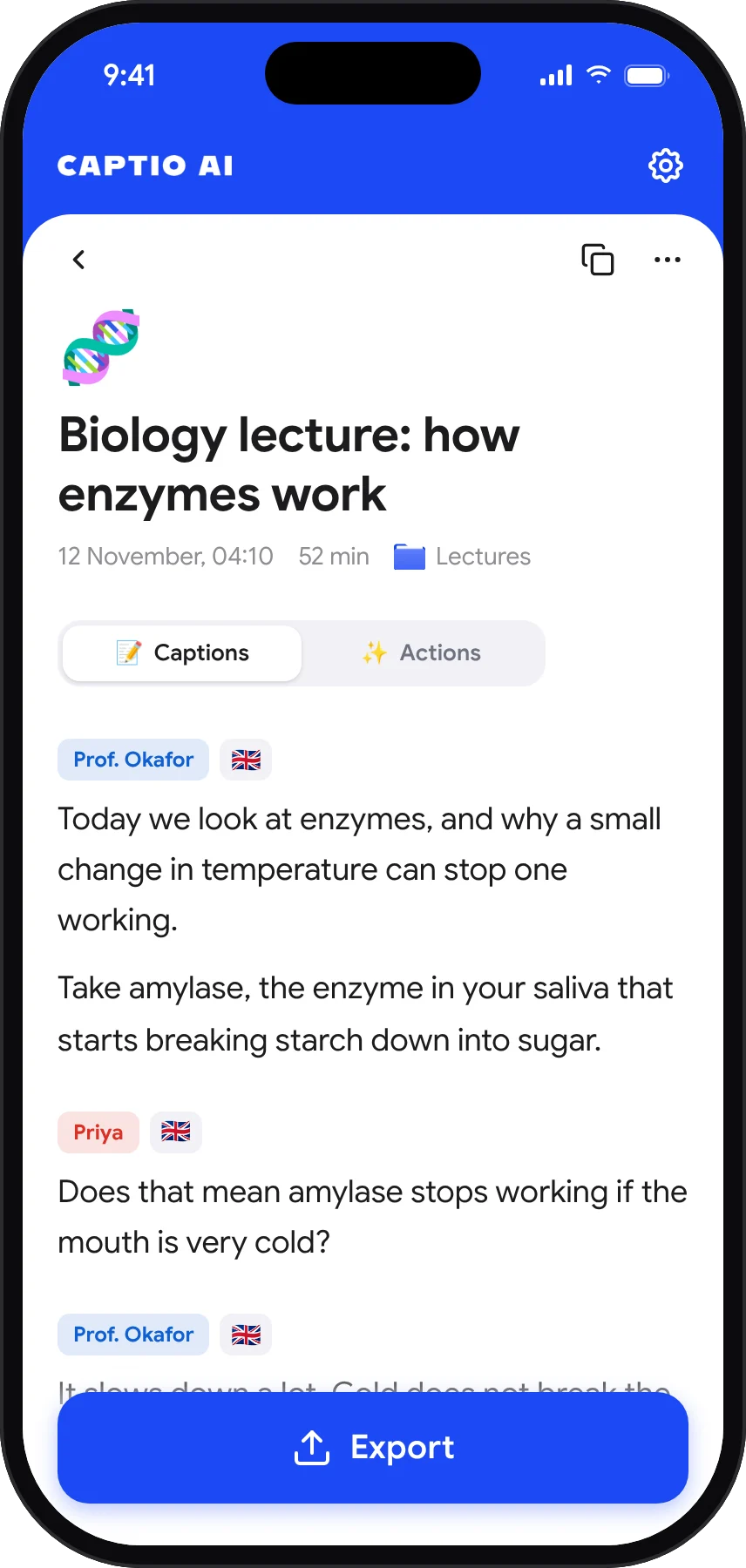
Here is the flow on a saved lecture, using the sample recording "Biology lecture: how enzymes work" from the pictures in this article:
- Open the saved lecture and look for underlined words. Say the lecturer, Prof. Okafor, says "amylase" several times and one line reads "a mile ace" instead (an illustrative mishearing).
- Long-press the wrong word and correct it to "amylase". Every place the wrong word appears in that recording changes.
- Add "amylase" to Words and names if you will hear it again, for example in next week's lecture.
- Make the Key points, Summary or To-dos from the corrected recording, as in the picture below. Those results come from the transcript, so correct it first.
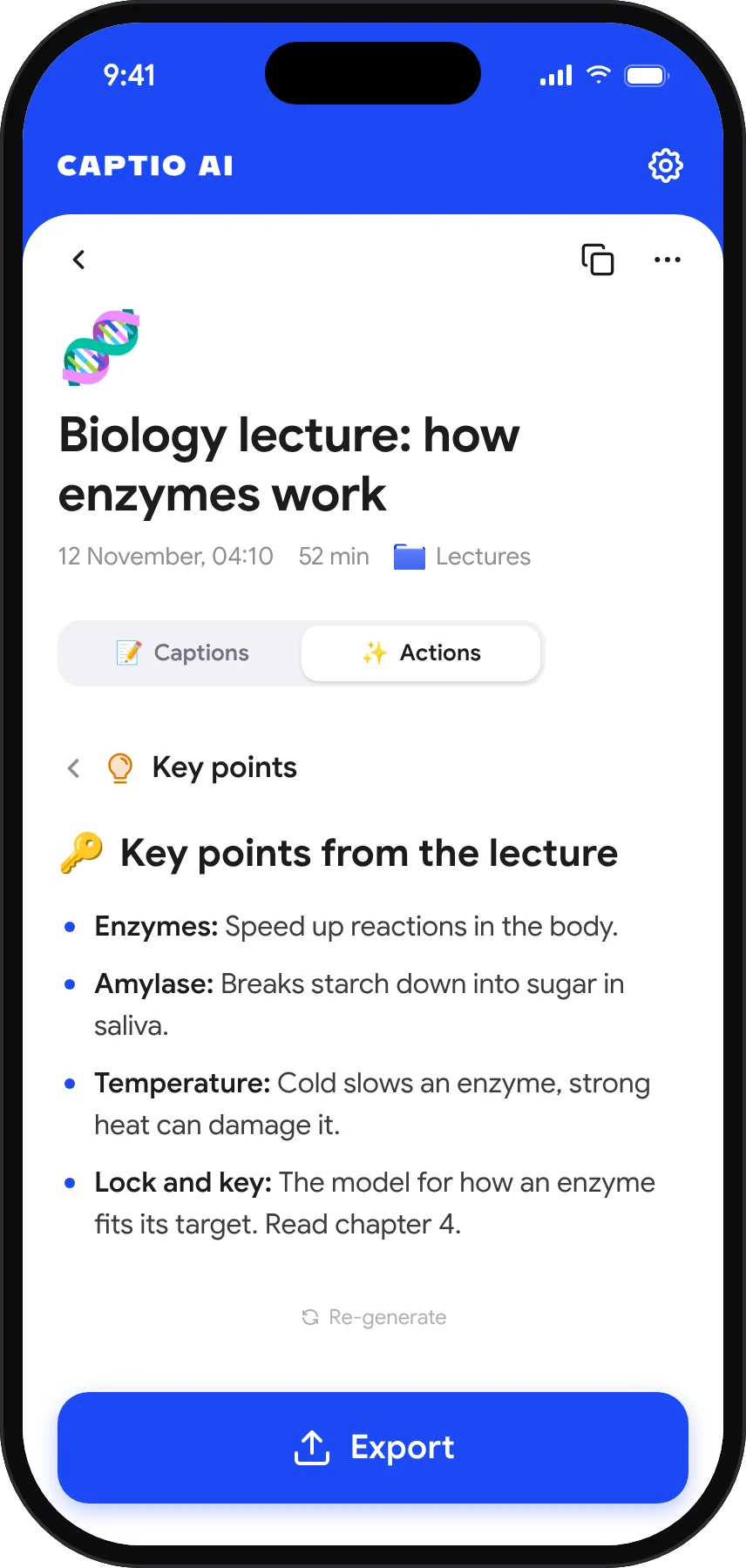
The same flow works in a meeting where one colleague's surname is wrong in every line. One correction replaces all of them.
How do you teach the app a word before the next conversation?
You teach Captio AI a word before the next conversation by adding it to Words and names, which the app uses to recognise names, medical terms and specialist words6. Add the lecturer's surname before a lecture, or the name of a condition before an appointment.
Words and names does not guarantee a correct result. Speech recognition can still get a word wrong when the room is noisy or two people talk at once, so check the words that matter.
When is it better to re-transcribe the recording?
Re-transcribing is a separate option from fixing words one by one, and it suits a recording where many words are wrong. Captio AI's Live Captions page says you can run any recording through again for a cleaner transcript6, and its Audio Transcription page says a file can be retranscribed for a second pass7.
If a saved recording is in the wrong language, tap the language flag on a speaker tag in a saved recording, set the right language and write the transcript again. This is an iPhone feature in Captio AI. Our guide to captioning a conversation in two languages covers it.
A practical order: re-transcribe first when many words are wrong, then long-press the few that are still wrong.
What about speaker names?
Speaker names are fixed separately from words. Captio AI separates speakers as Speaker 1 and Speaker 2 and lets you rename them after the recording. On iPhone, with Recognize voices set up, you can tap a speaker's tag in a saved recording to say who it is. See our guide to seeing who is talking in live captions.
Which fix fits which situation?
| Situation | Use case | What to do | What it costs you |
|---|---|---|---|
| One wrong surname in a team meeting | Meetings | Long-press the word and correct it | One long-press per word |
| A course term wrong all through a lecture | Lectures | Correct it once, add it to Words and names | One long-press, then the word is on your list |
| Many wrong words in a recording | Everyday conversations | Re-transcribe, then correct what is left67 | Waiting for the second pass |
| A medicine name after a check-up | Doctor's appointments | Correct it, then confirm the dose with the clinic in writing | A call or a printout |
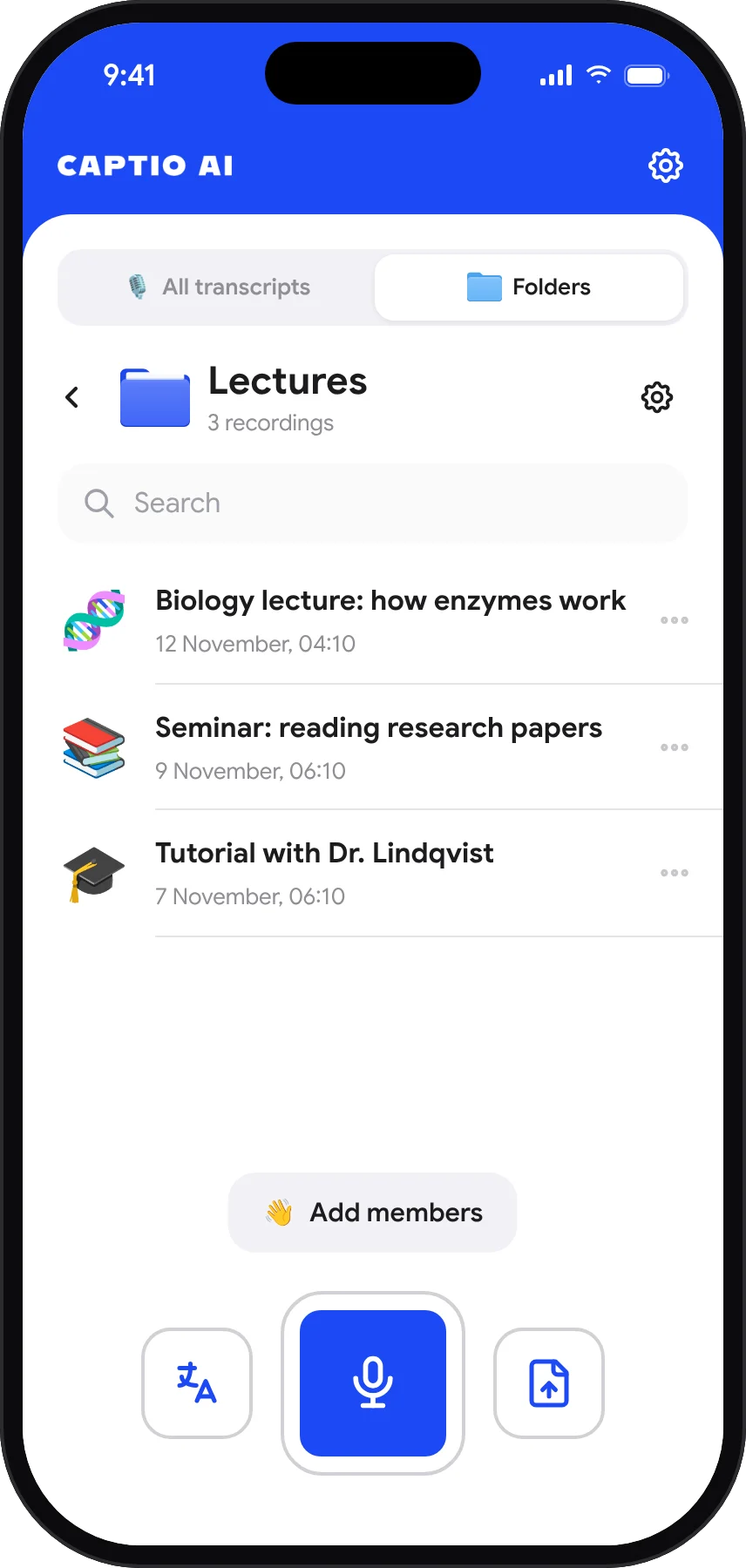
After you fix a lecture, it sits in the library with the others. In a folder such as Lectures you can keep a term's recordings together and search them.
How do you correct automatic captions on a video?
Video tools have their own editing steps. YouTube says that when you edit captions created automatically, a new caption track with your revisions is generated5. In YouTube Studio you choose Duplicate and edit, change the text and publish.
How accurate does a transcript need to be?
A transcript needs to be accurate enough for the decision you will make with it. 3Play Media, a captioning company, calls 99% the industry standard for caption quality and says automatic speech recognition is not good enough to remove humans from the process4. That is a vendor's view. For television in the US, FCC rules say captions must match the spoken words without substituting words for proper names and places2; those rules cover TV programming, not an app that captions a lecture.
Captio AI is one tool among several. It does not replace a human captioner where a perfect record is required, such as a legal hearing or an exam accommodation.

Read what people say, while they say it
Captio AI puts live captions on your phone for conversations, appointments, lectures and meetings, in 60+ languages. Free to start. Private by default.
Frequently asked questions
Why does a transcript get names and medical words wrong?
Speech recognition learns from a large amount of text in which common words appear again and again, and a rare surname or drug name may barely appear [3]. When the sound is close to a familiar phrase, the system tends to pick the familiar phrase [3]. That is why names and specialist words need a second look.
Can I fix a wrong word in a lecture transcript in Captio AI?
Yes. In a saved recording, Captio AI underlines words it is unsure about, and a long-press on any word lets you correct it everywhere in that recording. You can also add the corrected word to Words and names, so a lecturer's name or a course term is easier to recognise next time.
Is a re-transcribed recording better than the first version?
It can be. Captio AI's Live Captions page says you can run any recording through again for a cleaner transcript [6], and its Audio Transcription page says a file can be retranscribed for a second pass [7]. Re-transcribing is a good first step when many words are wrong, and a long-press fix is better for one wrong name.
What accuracy do TV captions have to meet in the US?
For television, the Federal Communications Commission (FCC) requires captions to match the spoken words, in the order spoken, without substituting words for proper names and places [2]. These rules cover TV programming. They do not set a standard for an app that captions a meeting or a lecture.
How do I correct automatic captions on a YouTube video?
YouTube says that when you edit captions created automatically, a new caption track with your revisions is generated [5]. In YouTube Studio you choose Duplicate and edit, change the text and publish. This is how YouTube works, and it differs from fixing a word in a Captio AI recording.
Should I trust a corrected transcript for a doctor's appointment?
Check names of medicines and doses against the printout or the pharmacy label. A transcript can still have errors after you fix the words you noticed, and Captio AI does not replace the written instructions from a clinic. Our suggestion is to confirm numbers and drug names in writing.
Are speech recognition errors the same for every speaker?
Yes, error rates can differ by speaker. A 2020 study in the Proceedings of the National Academy of Sciences, which used US speakers, found an average word error rate of 0.35 for black speakers and 0.19 for white speakers across five commercial systems [1]. A transcript with many mistakes is not necessarily the speaker's fault.
Sources
- 1Racial disparities in automated speech recognitionProceedings of the National Academy of Sciences (PNAS), via PubMed Central, 2020
- 247 CFR 79.1 Closed captioning of video programmingLegal Information Institute, Cornell Law School, 2026
- 3The Proper Noun Problem in Speech RecognitionSpeech Technology magazine (Information Today, Inc.), 2026
- 4What Is 99% Accuracy, Really? Why Caption Quality Matters3Play Media, 2021
- 5Edit or remove captionsYouTube Help, Google, 2026
- 6Live CaptionsCaptio AI, 2026
- 7Audio TranscriptionCaptio AI, 2026
Written by Nate from Captio AI. Published 12 November 2026. Every figure on this page links to its source. Spotted a mistake? hello@captioai.app