

Live Translator
Three taps. Any language.
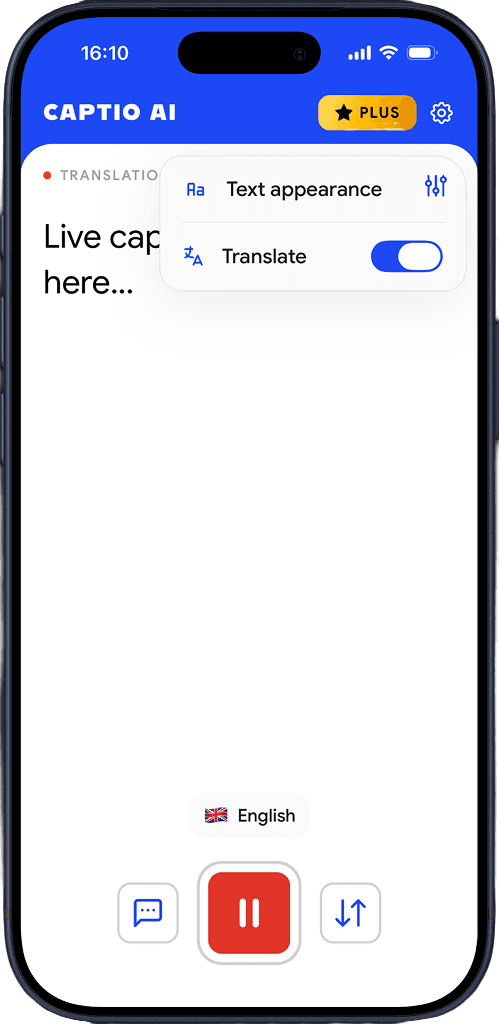
Choose translator mode
Open Captio AI and select Live Translator.
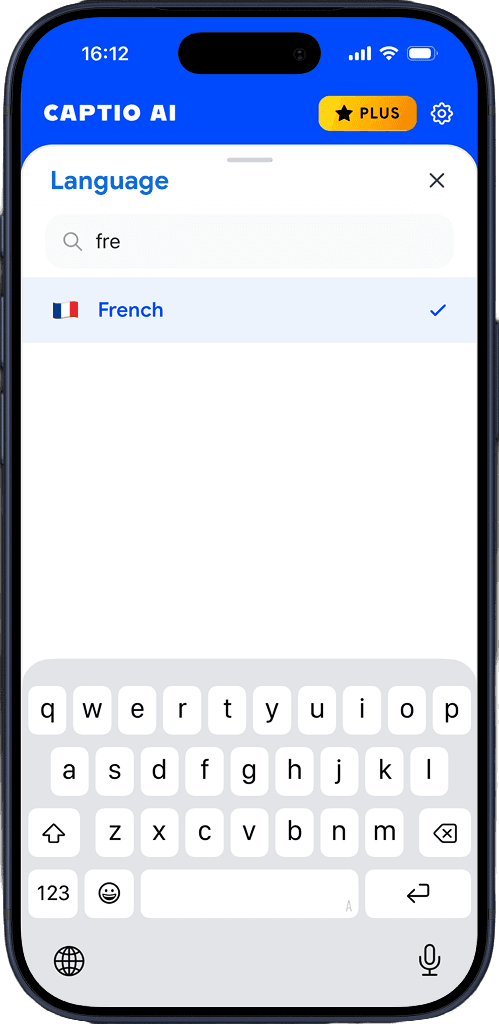
Select the preferred language
Pick the language you want to read in.
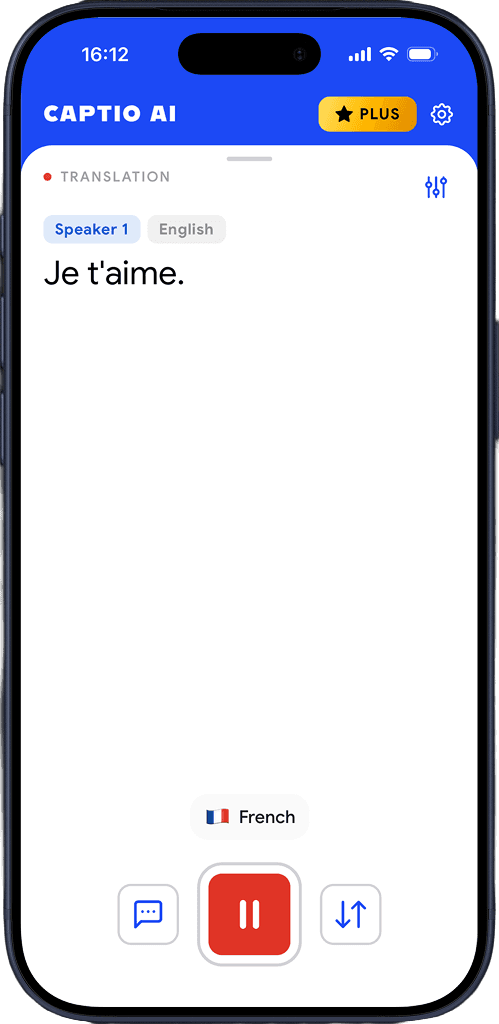
See translation in real time
Captio AI translates word by word.
Download for free
Built for real conversations
Any language
French, Japanese, Arabic, Spanish, German, Mandarin — 60+ languages, any direction. Hearing loss is never also a language barrier.
Auto-detects the spoken language
Leave the source language on auto and Captio AI figures it out from the first words. No manual selection before each conversation.
No delay
Translation latency is well under a second. You read what someone says at the same moment everyone else hears it, not after they finish the sentence.
Add language hints
Tell Captio AI which language to expect and it starts tuned in from the first word — useful when the spoken language is not obvious from context.
Multiple languages at the same time
When people switch languages mid-conversation, Captio AI keeps up — translating each into your language without any manual intervention.
Read it your way
Adjust background color, text color, and font size so the translation is easy to read at a glance, whether the phone is in your hand or flat on a table.
Download for free
What you hear stays with you.
Gone the moment it ends
Captio AI processes your audio in real time and discards it immediately. Nothing is recorded. Nothing is kept.
Not a product
Your conversations are not something Captio AI sells, shares, or monetizes — to anyone, for any reason.
Not used to train anything
What you say in a doctor's appointment or a job interview never ends up in a training dataset. Not ours. Not anyone else's.

Download for free
Frequently asked questions


Captio AI includes Live Captions, Live Translator, Audio Transcription, and AI Summary.