

Export
From your phone to everyone who needs it.
Tap Export
Open any recording and tap the blue Export button under the captions.
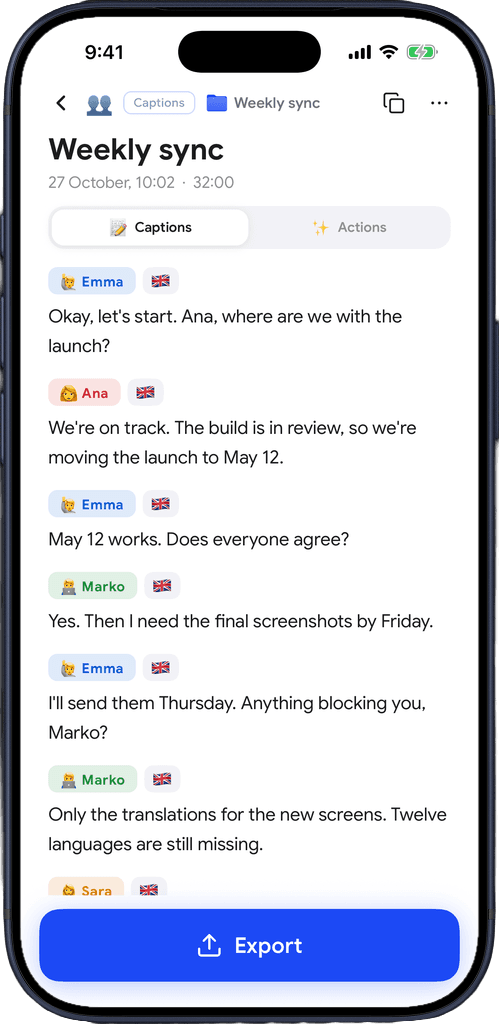
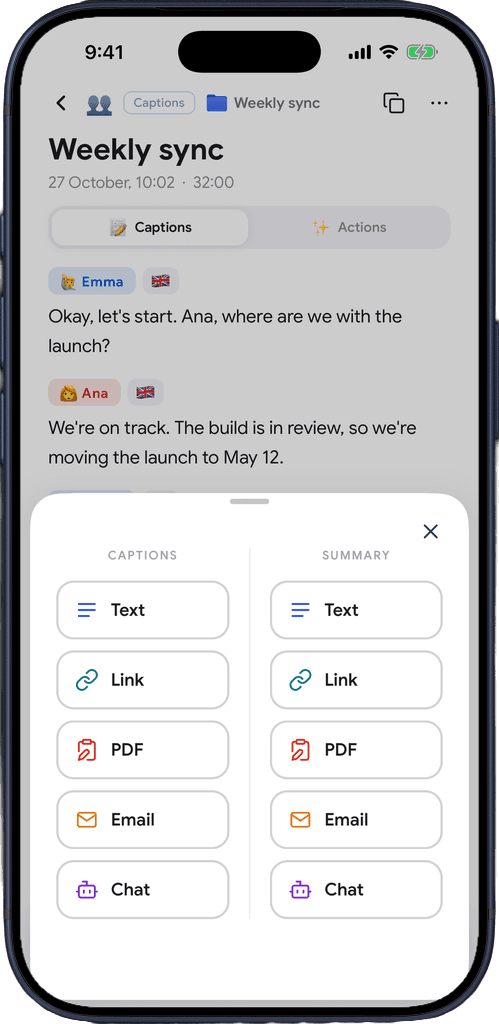
Pick what and how
Captions or summary, as Text, Link, PDF, Email or a prompt for your AI chat.
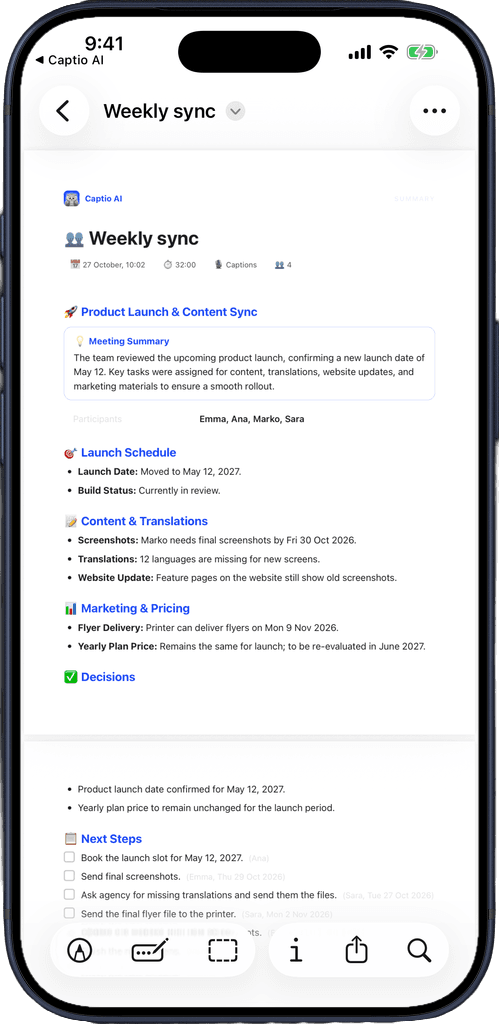
Send it
A designed PDF, an email, or a link anyone can open. Names, dates and to-dos come along.
Download for free
Built for sharing what you followed
Send the meeting notes to your team, the doctor's instructions to your family, the lecture to your study group.
Text
Just the content, nothing added, through the share sheet: Messages, WhatsApp, Notes, anywhere.
Link
A web page with the captions or summary. Readers can copy, print or email it from there.
A clean document with the date, length and speakers on top, ready to print or attach.
Opens your own mail app with the text written, so it goes from your address.
Chat
A ready prompt with everything about the recording, to paste into your AI chat and ask questions.
Speaker names included
Names from your captions travel with the export, so everyone knows who said what.
Any AI result
Export key points, notes, to-dos or a follow-up message straight from the Actions tab.
Made first if needed
Export a summary that doesn't exist yet and Captio AI makes it on the spot.
The audio too
The share icon on the player sends the recording's audio file.
Download for free
You decide who gets it.
Sent by you
Email goes from your own mail app and address. Captio AI never sends anything on your behalf.
Links stay out of search
Shared pages are never indexed by search engines, and they disappear when you delete the recording or your account.
Not used to train anything
What you export is never sold, never shared for advertising and never used to train AI models.

Download for free
Frequently asked questions


Captio AI also includes Live Captions, Live Translator, Audio Transcription, AI Summary, AI Actions, Folders, Recognize Voices, Speaker Direction, Connectors and Widgets.