

Recognize Voices
Mum, not Speaker 2.
Add a voice
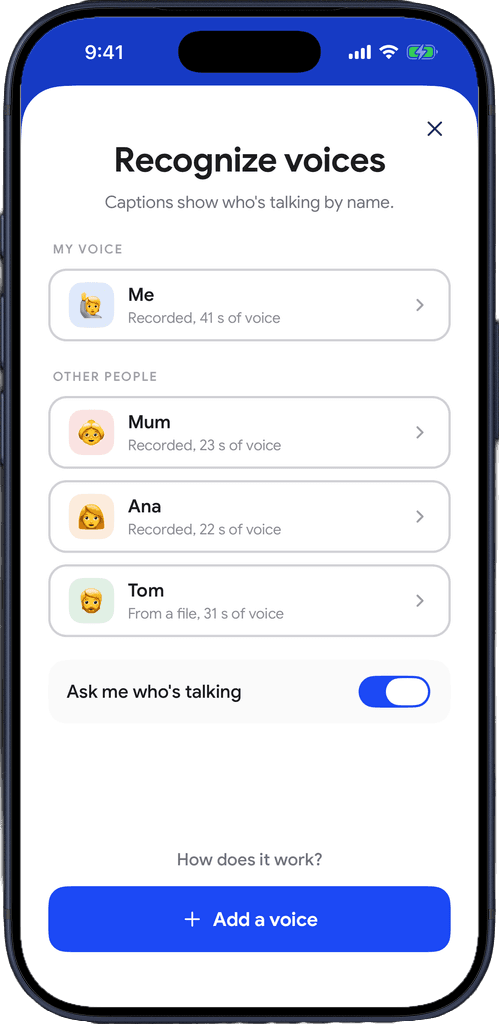
Open Settings, then Recognize voices, and tap Add a voice. Start with your own.
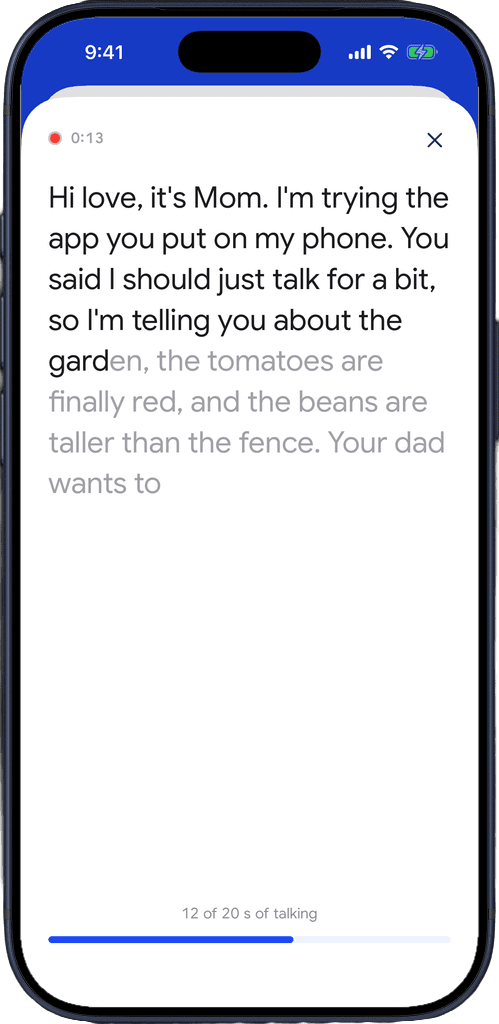
Record 20 seconds
Ask them first, then let them talk about anything. It stops by itself once it has 20 seconds of speech.
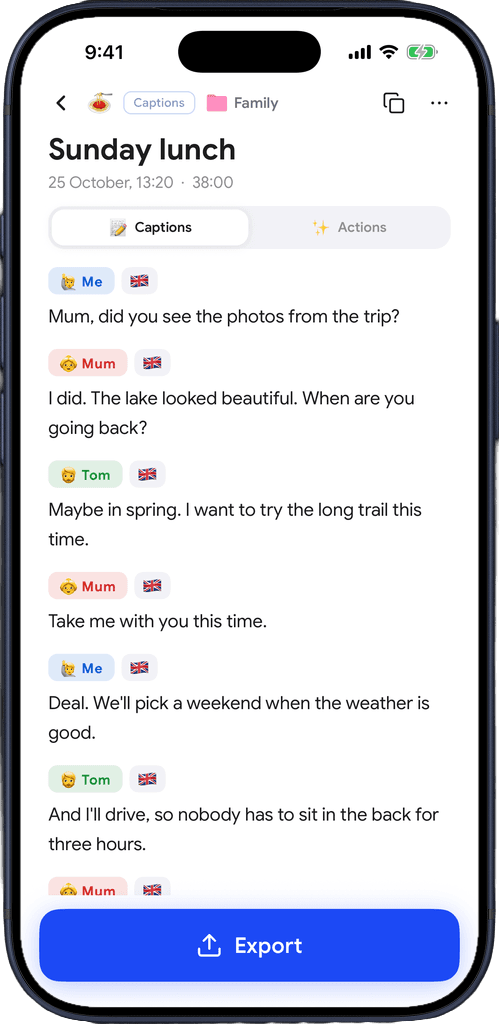
See names in captions
Their name and emoji show on every line they say, live and in saved recordings.
Download for free
Built for tables with many voices
Family dinners, team meetings, a regular appointment. The people you talk to most, named in your captions.
Names while people talk
Names show in live captions as people speak, not only after the recording, so you know who is talking without watching faces.
Made on your phone
Each voiceprint is made on your iPhone and stays there. It is never uploaded or synced.
Captio AI asks who's new
When someone it doesn't know talks for a while, Captio AI asks who it is. One answer names them in every recording.
Every answer teaches it
Tap a speaker's tag to fix a name. Each answer makes recognition better next time.
Your own voice too
Save your voice and your lines carry your name, so it's clear what you said and what others said.
An emoji and a colour per person
Pick an emoji and a colour for each person. Their tag looks the same in every recording.
Names in exports and summaries
Names carry into exports and AI Summary, so the notes say who said what.
From a file, too
Save a voice from an audio file instead of recording it live.
Forget anyone
Forget deletes a person's voiceprint whenever you want.
Download for free
Voices never leave your phone.
Made on your phone
Voiceprints are calculated on your iPhone. The voice engine downloads once, then works on the phone.
Never synced
Saved voices stay on this phone. They are not uploaded, not synced to your account and not shared.
Ask first, forget anytime
Captio AI reminds you to ask people before saving their voice. Forget removes a voice whenever you want.

Download for free
Frequently asked questions


Captio AI also includes Live Captions, Live Translator, Audio Transcription, AI Summary, AI Actions, Export, Folders, Speaker Direction, Connectors and Widgets.