

AI Actions
One recording. Six ways to use it.
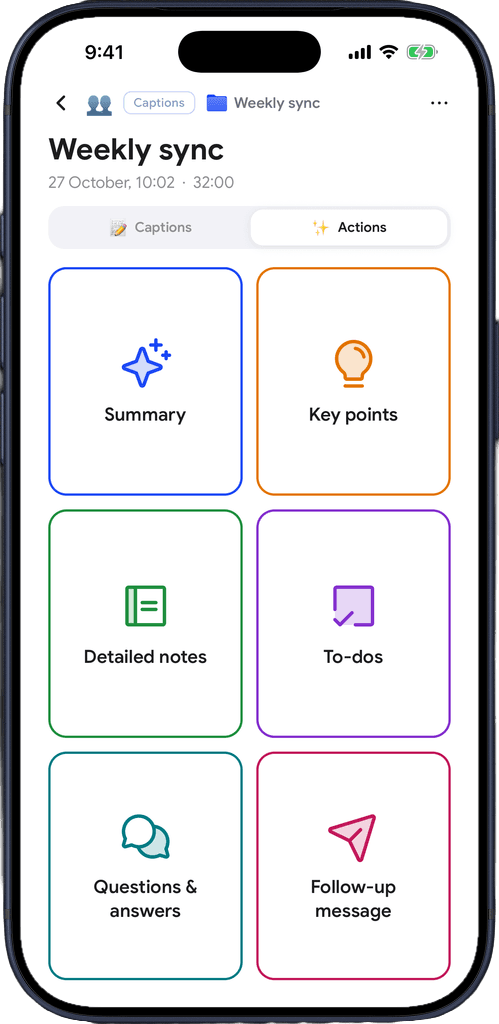
Open the Actions tab
Open any recording and tap Actions. Pick Summary, Key points, Detailed notes, To-dos, Q&A or Follow-up message.
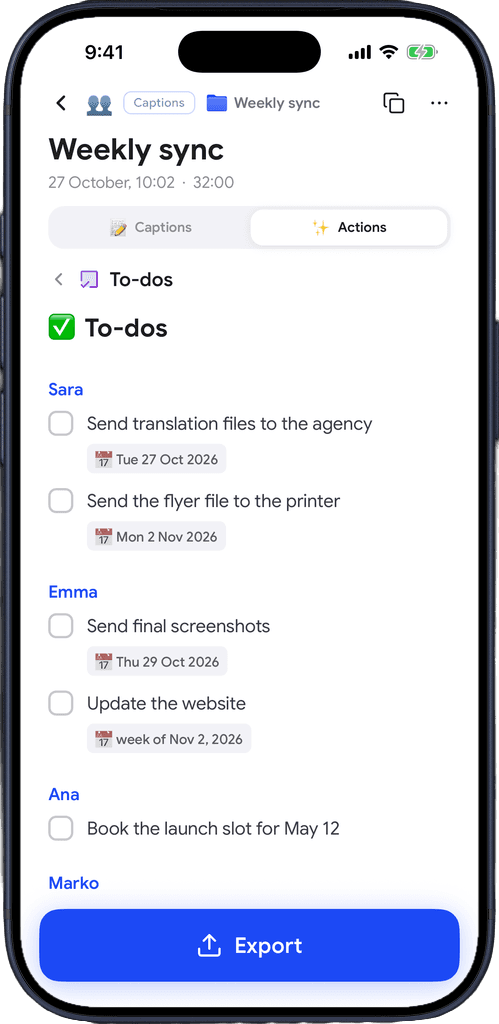
Get your to-dos
Every task from the meeting, grouped by person, with the dates that were said.
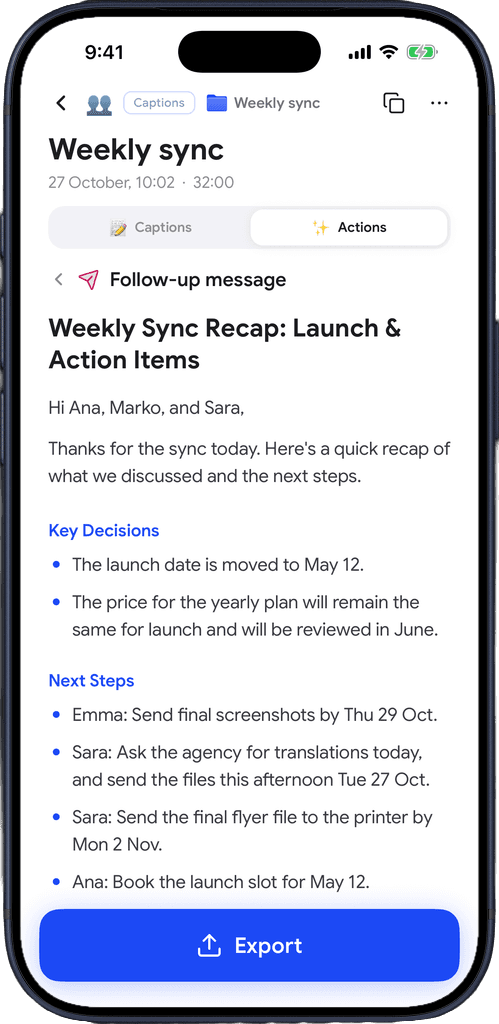
Send the follow-up
A ready recap with the decisions and next steps, to export and send to everyone who was there.
Download for free
From what was said to what happens next
You followed the meeting through captions. Captio AI turns it into the notes, tasks and message you would otherwise write yourself.
Summary
What the recording was about and what was decided, in sections you can scan in a minute.
Key points
The few things that mattered, for when you only need the gist.
Detailed notes
Structured notes of the whole recording, ready to study from after a lecture.
To-dos
Tasks grouped by person with due dates, which you can tick off in the app.
Questions and answers
Every question that was asked and the answer it got, useful after a doctor's appointment or an interview.
Follow-up message
A recap email for everyone who was there, with the decisions and next steps.
Knows who said it
Uses the speakers' names from your captions, so owners and quotes are right.
Fits the recording
A lecture gets study notes, an appointment gets instructions and follow-ups, a meeting gets decisions.
Export in one tap
Send any result as text, a link, a PDF, an email or a prompt for your AI chat.
Download for free
Your recording works for you, nobody else.
Only when you ask
Nothing is sent until you tap an action, and Captio AI asks for your consent before anything is processed.
Not a product
Your transcripts and results are not something Captio AI sells, shares or monetizes.
Not used to train anything
What you summarize, a doctor's appointment, a meeting, an interview, never ends up in a training dataset.

Download for free
Frequently asked questions
Captio AI also includes Live Captions, Live Translator, Audio Transcription, AI Summary, Export, Folders, Recognize Voices, Speaker Direction, Connectors and Widgets.