

Speaker Direction
Know where to look.
Lay your phone flat
Put your iPhone 16 or later flat on the table and start Live Captions. Speaker direction is on by default.
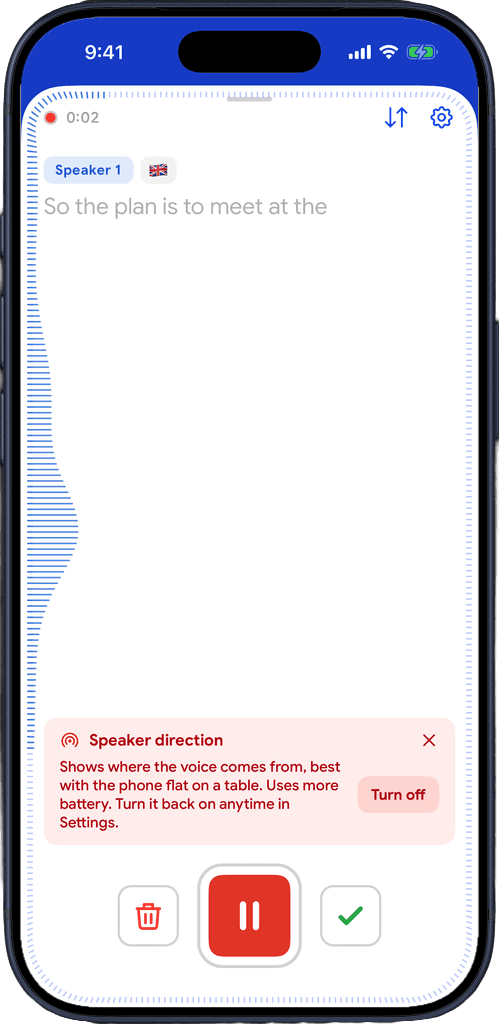
Waves point to the voice
A wave grows at the edge of the captions on the side the voice comes from, while new words appear.
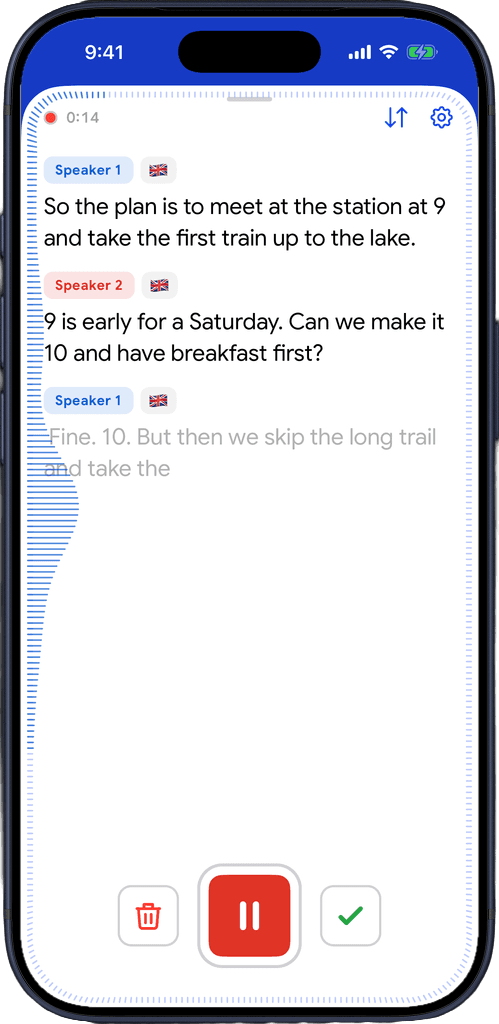
Each voice, its own colour
The wave takes the colour of the speaker's tag, so you know who is talking and where to look.
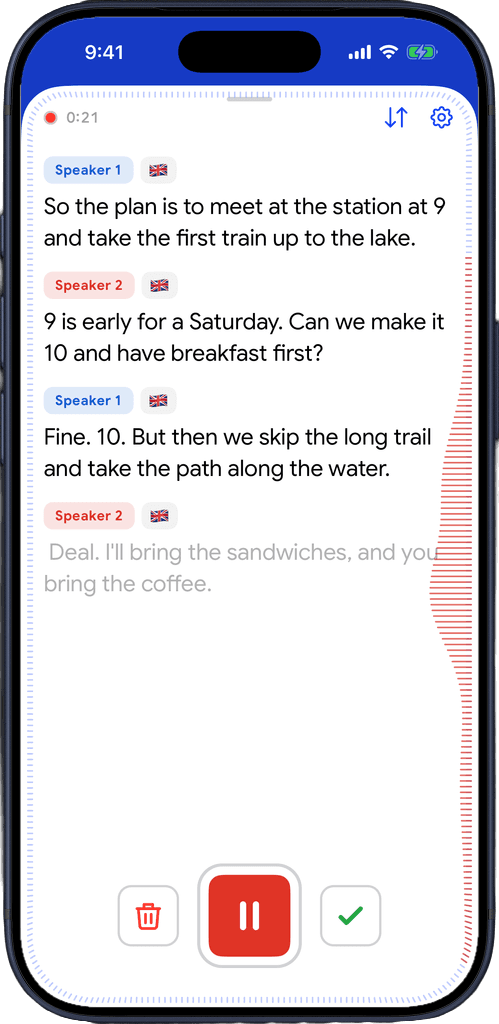
Download for free
Built for busy tables
Six people around a dinner table, a meeting room, a group at the café. Read the words, and know whose face to look at.
Look up at the right person
Glance at the side the wave is on and find who is talking, instead of scanning every face at the table.
Only for speech
Waves show only while the captions are writing new words. A clattering kitchen doesn't send you looking around.
Matches the speaker tag
The wave takes the colour of the talking speaker's tag, including the names you saved with Recognize Voices.
Keeps up when you lift the phone
Pick the phone up and it remembers where each speaker sat, turning with the phone. Lay it flat and it reads the room live again.
Captions and translation
Works in Live Captions and in Live Translator sessions.
Uses the iPhone's spatial microphones
On iPhone 16 and later, Captio AI listens with the same microphones the iPhone uses for spatial audio recording.
Never takes over your headphones
If you are on AirPods or an external microphone, captions stay on that microphone and the waves simply don't show.
On by default, off in one tap
Turn it off from the notice in the captions, or in Settings, then Captions, then Speaker direction.
Free on every plan
Speaker direction is part of Live Captions, on the free plan and on Plus.
Download for free
Worked out on your phone.
On your iPhone
The direction is calculated on your iPhone from its microphones. It is not sent anywhere.
Nothing kept
Where people sat is used only during the session. It is not saved with the recording.
Only while you look
It runs only while the captions are on screen, never in the background, and you can turn it off at any time.

Download for free
Frequently asked questions


Captio AI also includes Live Captions, Live Translator, Audio Transcription, AI Summary, AI Actions, Export, Folders, Recognize Voices, Connectors and Widgets.