

Captio AI vs Ava: which caption app is better for groups?
Ava lets up to 25 people join from their own phones. Captio AI captions a table from one phone and names speakers. Compared from both companies' pages.
 Nate from Captio AI8 min read
Short answer
Ava is the better pick when everyone at a table can join from their own phone: up to 25 people, no app or account needed for guests, and a free plan with 40-minute sessions [1][3]. Captio AI, a live captioning app for deaf and hard of hearing people, is the better pick when one phone on the table has to caption and separate everyone, in 60+ languages, with recordings that keep their audio and turn into summaries.
253
people who can follow one Ava group conversation, joining by QR code or link
40 min1
longest session on Ava's free plan (as of November 2026)
23+2
languages Ava lists for live captions, with changing the caption language limited to paid plans
99%7
accuracy Ava states for its human Scribe captions, which need a professional plan
On this page
- Ava vs Captio AI at a glance
- Which one is better for a family dinner or a group conversation?
- Which one shows who is talking?
- Which one covers more languages?
- Does Ava work without internet?
- Can either one add a human captioner?
- What happens to the conversation afterwards?
- Which one alerts you to a doorbell or an alarm?
- What do they cost, and what do they do with your audio?
- Where Ava is the better choice
- Where Captio AI is the better choice
- Which one should you use?
Ava and Captio AI are both live caption apps made for deaf and hard of hearing people, and they handle a group differently. Ava asks everyone to join the conversation from their own phone, up to 25 people3. Captio AI, a live captioning app for deaf and hard of hearing people, listens with one phone on the table. This comparison uses Ava's own pricing page, help centre and App Store listing, opened in November 2026, and says where Ava is the better choice.
Ava vs Captio AI at a glance
Ava wins on group size, offline use and human add-ons, while Captio AI wins on languages, saved recordings and one-phone speaker names. Each cell uses only what that company says on its own pages. "Not described" means the pages I opened do not say, which is not the same as "no".
| Ava | Captio AI | |
|---|---|---|
| Platforms | iPhone, iPad and Android apps; the iOS app needs iOS 18.6 or later6; the Android help page I opened is from 202411 | iPhone, iPad, Apple Watch and Android |
| In-person captions | Open the app and the microphone starts; point the phone at the speaker12 | Phone's microphone, one phone for the room |
| Group conversations | Up to 25 people join by QR code or link; guests need no app or account3 | One phone captions everyone nearby |
| Who is talking | Colours and names per joined phone; SpeakerID on one phone is a Premium beta for up to 5 speakers5 | Speaker 1, Speaker 2, renamable; saved names with Recognize voices on iPhone |
| Languages | 23+ for live captions2 | 60+ for captions and translation |
| Without internet | Offline mode on mobile, one person, default language, slightly lower accuracy4 | Records offline, transcribes later |
| Sound alerts | Sound Detection on mobile, small alert on screen10 | Recognize sounds on iPhone, written into the captions |
| Human captioner | Ava Scribe, 99% stated, Pro, Welcome or Enterprise plan7 | No |
| Saved recordings | Text transcripts, no audio8 | Library with audio, synced to your account |
| Free plan | Sessions up to 40 minutes1 | 100 free credits a day |
| Paid price (US, November 2026) | Community US$14.99 a month or US$119.99 a year6 | Plus US$14.99 a month or US$79.99 a year13 |
Which one is better for a family dinner or a group conversation?
Ava is better when each person at the table is willing to join from their own phone, and Captio AI is better when they are not. Ava's help centre says you can follow group conversations with up to 25 participants, and guests can join by QR code or link without downloading the app3. For a group setting such as a family dinner, a book club or a team lunch, that gives clean audio from each person. It also needs everyone to take part. Captio AI works from one phone on the table, so a grandfather who does not want to scan anything is still captioned. On a busy table, one phone far from a speaker hears less clearly, and Ava's own tips say to hold the phone within about 1 to 2 feet and note that background noise lowers accuracy12.
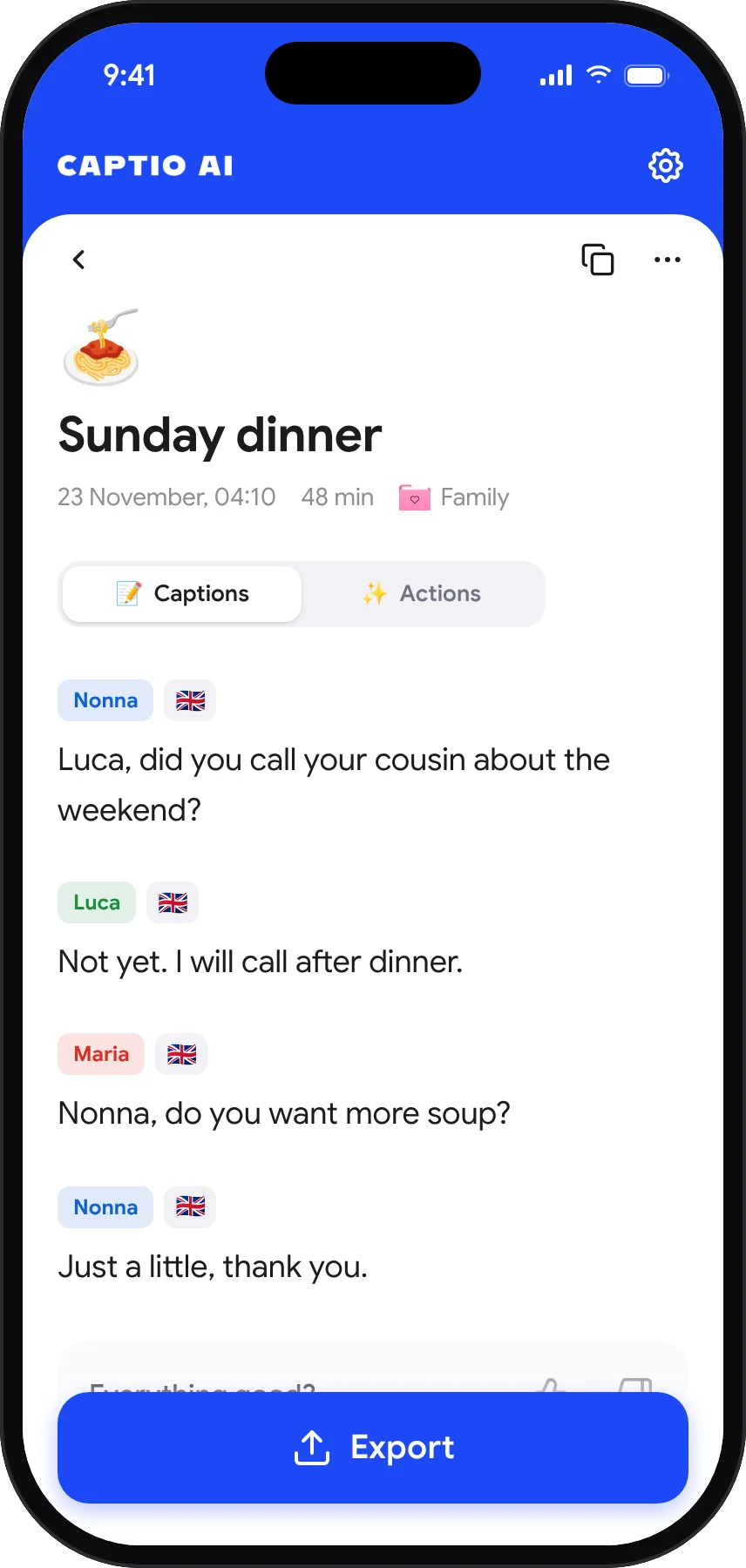
Which one shows who is talking?
Both show speakers, by different routes. In an Ava group conversation, each person who joins appears under their own phone. On a single phone, Ava's SpeakerID "supports up to 5 speakers at a time", assigns each a colour and lets you add names, but it is a Premium-only feature in beta that you must be given access to5. Captio AI separates speakers as Speaker 1 and Speaker 2 on one phone and lets you rename them. On iPhone, Recognize voices saves the voices of people you talk to often, so captions say "Maria" instead of "Speaker 2". See also how to see who is talking in live captions.
Which one covers more languages?
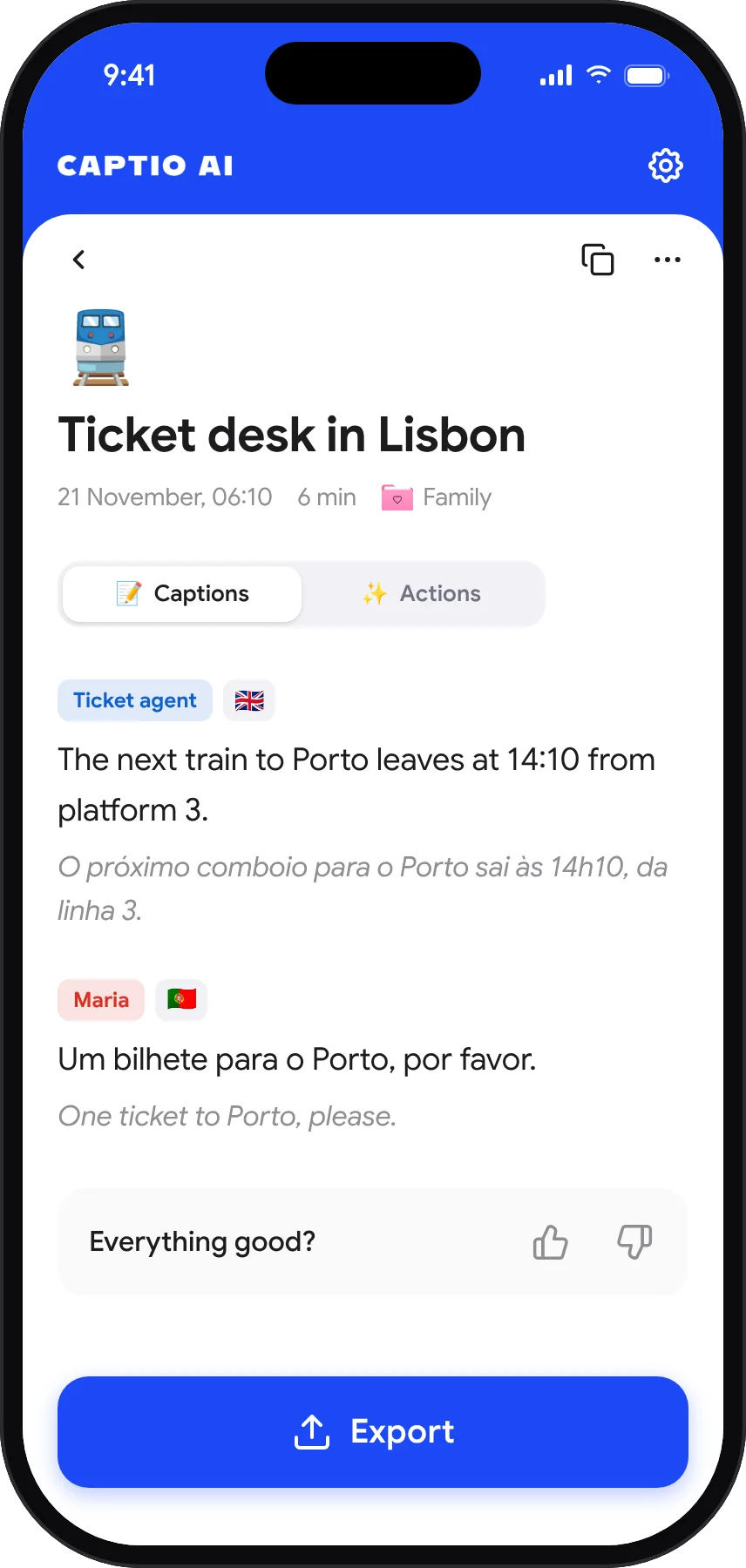
Captio AI covers more. Ava's help centre says it transcribes "more than 23" spoken languages and lists 23, among them German, Hindi, Japanese, Korean, Swahili and Ukrainian, with 19 more depending on the device2. Captioning in a language other than your phone's language is "only available to users on a paid plan"2. Captio AI captions and translates 60+ languages, with a language hint so it starts tuned in, and its Live Translator shows the translation next to the original. For a conversation between a Spanish speaker and a German speaker, see how to caption a conversation in two languages.
Does Ava work without internet?
Partly. Ava's mobile apps have an offline mode, and its help centre lists the limits: it is solo only, so you cannot host a group conversation, accuracy is "slightly depreciated", it works only in your default language, and it is not available on Ava Web or Desktop4. Captio AI needs an internet connection for live captions. Without one it still records, and the recording is transcribed automatically when the phone reconnects. For a doctor's appointment in a clinic with no signal, Ava's offline mode gives you captions during the visit. Captio AI gives you the transcript afterwards.
Can either one add a human captioner?
Ava can, and Captio AI cannot. Ava Scribe is a professional who corrects the speech recognition for "a 99% accurate transcript", needs one of Ava's professional plans (Pro, Welcome or Enterprise), and asks you to book at least 6 hours ahead on its help page7; the pricing page lists 24-hour notice for Pro and 6 hours for Enterprise1. The pricing page also labels the individual Community plan "Not an ADA-compliant plan"1. For a conference or an interview where an accurate record matters, Ava's route is a real option. Captio AI's captions are automatic, and it does not replace a human captioner or an interpreter.
What happens to the conversation afterwards?
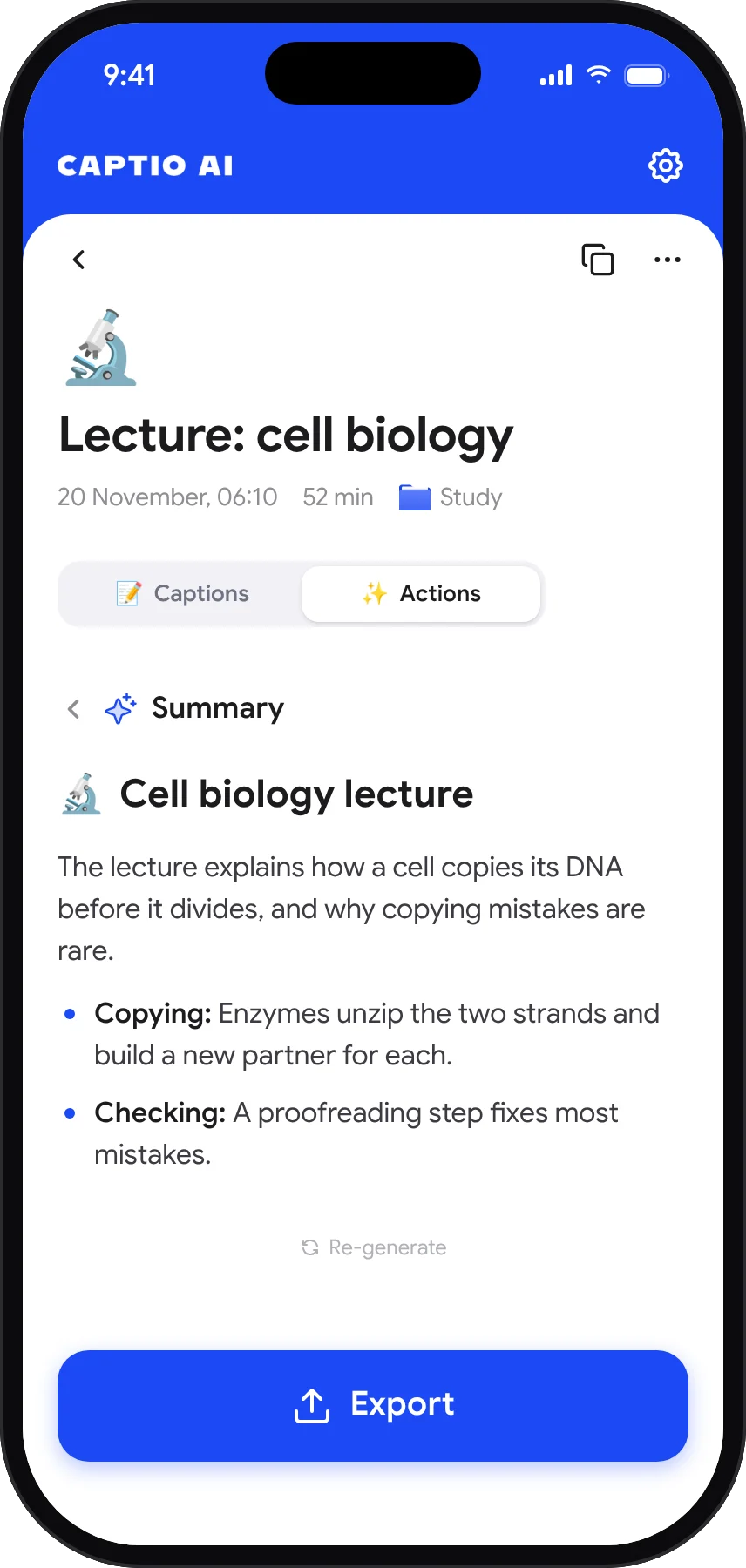
Ava keeps text, Captio AI keeps recordings. Ava says saved notes "are text-only (no audio recording)", and a transcript you did not save cannot be retrieved later8. Captio AI saves each recording with its audio in a searchable library synced to your account, can sort recordings into folders on iPhone, transcribes audio and video files you upload, and writes an AI Summary with key points or to-dos from any transcript. The free plan includes 3 AI summaries in total. For a lecture you want to revise from, that difference matters.
Which one alerts you to a doorbell or an alarm?
Both do on a phone, in different ways. Ava's Sound Detection lists sounds including a door bell, alarm clock, baby sounds, telephone ringing and siren, shows "a small alert" at the bottom of the screen, and is only on Ava Mobile10. Captio AI's Recognize sounds writes sounds such as [doorbell rings] into the captions where they happened, on iPhone only, and it listens only while captions run. It can miss sounds and is not an alarm.
What do they cost, and what do they do with your audio?
Both have a free plan, and their paid plans cost the same per month. Ava's free plan allows sessions of up to 40 minutes1. The Ava Community plan is US$14.99 a month or US$119.99 a year on the US App Store, with 3 hours of premium captions a month and extra hours at US$4.996. Captio AI is free with 100 free credits a day, and Captio AI Plus is US$14.99 a month or US$79.99 a year on the US App Store13. Both prices are as of November 2026 and differ by country.
On privacy, Ava's policy says it may use segments of audio and their transcribed text to improve its software if you consent9. Ava's help centre says it stores data on AWS and that it uses voice and conversation data to train Ava8. Captio AI says audio is processed in real time and is not stored on its servers. Read both policies before a private conversation.
Where Ava is the better choice
Ava is the better choice in five situations, all from Ava's own pages:
- Everyone at the table has a phone. Up to 25 people can join, with no app or account for guests3.
- You have no signal. Its mobile apps keep captioning one to one in your default language4.
- You need a human captioner. Ava Scribe corrects captions live for a stated 99%7.
- You want a free plan to start with. Ava's free plan runs sessions of up to 40 minutes1, with premium captions only on paid plans.
- You use Android in a group. Ava's Android help page, written in 2024, lists group conversations as not yet available in its Android beta11, so check the Android app before you rely on it.
Where Captio AI is the better choice
Captio AI is the better choice when one phone has to caption a room and keep a record. It covers 60+ languages, translates live, names speakers on iPhone, keeps recordings with their audio, transcribes uploaded files and writes summaries. On iPhone, captions keep running with the screen locked. Live captions need internet, Recognize voices and Recognize sounds are iPhone features, and Captio AI is for in-person speech, not phone calls.
Which one should you use?
If you are looking for an Ava alternative, or deciding between the two, pick by the situation you are in:
- A family dinner where everyone has a phone: Ava.
- A dinner where only you want captions: Captio AI.
- A lecture you want notes and a summary from: Captio AI.
- A clinic with no signal: Ava for live captions, Captio AI for the transcript afterwards.
- A conference that needs a perfect record: a human captioner, through Ava Scribe or your organization.
- A conversation in two languages: Captio AI.
For the row-by-row version with a link to every source, see the Captio AI vs Ava compare page. For a wider look, read the best live caption apps for deaf people.

Read what people say, while they say it
Captio AI puts live captions on your phone for conversations, appointments, lectures and meetings, in 60+ languages. Free to start. Private by default.
Frequently asked questions
Is Ava free, and is Captio AI free?
Both have a free plan. Ava's pricing page shows a free plan with sessions of up to 40 minutes [1]. Captio AI is free to download with 100 free credits a day. Ava Community costs US$14.99 a month or US$119.99 a year on the US App Store [6]. Captio AI Plus costs US$14.99 a month or US$79.99 a year there [13]. Prices as of November 2026 and differ by country.
Can Ava caption a family dinner in Germany or Spain without everyone installing an app?
Yes, in the languages Ava lists. Ava's list of live caption languages includes German and Spanish [2], and guests join a group conversation by QR code or link without downloading the app [3]. Changing the caption language away from your phone's language needs a paid plan [2]. Captio AI captions on one phone and covers 60+ languages.
Does Ava work without internet at a lecture or in a clinic?
Partly. Ava's mobile apps have an offline mode for one-to-one conversations in your default language, with slightly lower accuracy, and it is not on web or desktop [4]. Captio AI needs internet for live captions; without it, it records and transcribes the recording when the phone reconnects.
Can Ava or Captio AI show who is talking at a team meeting?
Both can. Ava's SpeakerID tells up to 5 speakers apart with colours and names, but it is a Premium-only beta you must be given access to [5]. Captio AI separates speakers as Speaker 1 and Speaker 2 on one phone, and on iPhone Recognize voices can show names you saved.
Does Ava offer a human captioner for a doctor's appointment or a conference?
Yes, as a paid add-on. Ava Scribe is a professional who corrects the captions for a 99% accurate transcript, needs a Pro, Welcome or Enterprise plan, and asks for at least 6 hours' notice on its help page [7], while the pricing page lists 24-hour notice for Pro and 6 hours for Enterprise [1]. Captio AI's captions are automatic. For a conference or a medical visit where you need a perfect record, a human captioner or interpreter is the safer choice.
Which one alerts me to a doorbell or a baby crying?
Both do, on mobile. Ava's Sound Detection lists sounds such as a doorbell, alarm clock and baby sounds and shows a small alert at the bottom of the screen [10]. Captio AI's Recognize sounds on iPhone writes sounds like [doorbell rings] into the captions and vibrates for alerts, but only while captions run.
Do Ava and Captio AI train their speech recognition on my conversations?
Ava's privacy policy says it can use segments of audio and their text to train its software if you consent [9]. Captio AI says audio is processed in real time and not stored on its servers. Read each privacy policy before a private conversation.
Sources
- 1Ava plansAva, 2026
- 2What languages and countries are supported by Ava?Ava Help Center, 2026
- 3Captioning group conversations on AvaAva Help Center, 2026
- 4Does Ava work with little or no internet connection?Ava Help Center, 2026
- 5SpeakerID for live captioning on mobile [Beta]Ava Help Center, 2026
- 6Ava: Transcribe Voice to TextApple App Store, United States, 2026
- 7Discover Ava ScribeAva Help Center, 2026
- 8How does Ava guarantee privacy and safety of my data?Ava Help Center, 2026
- 9Ava privacy policyAva, 2025
- 10Sound Detection for Ava MobileAva Help Center, 2026
- 11New Android app [beta]Ava Help Center, 2024
- 12Using Ava for casual conversations (in-person)Ava Help Center, 2026
- 13Live Captions - Captio AI AppApple App Store, 2026
Written by Nate from Captio AI. Published 23 November 2026. Every figure on this page links to its source. Spotted a mistake? hello@captioai.app