

Captio AI vs Apple Live Captions on iPhone: what differs?
Apple Live Captions is free and built in, in 8 languages. Captio AI adds translation, speaker names, saved recordings and summaries. Compared for 7 situations.
 Nate from Captio AI8 min read
Short answer
Apple's Live Captions is the better first step on an iPhone: it is free, built in and, according to Apple, generates captions on the device, including for in-person speech through the microphone [1][3]. Captio AI, a live captioning app for deaf and hard of hearing people, is the better pick when you need more than 8 languages [2], live translation, speaker names, saved recordings or summaries. Many people try Apple's feature first and add a dedicated app for those gaps.
82
languages in Apple's Live Captions list, in 18 regional variants (iOS and iPadOS feature availability, November 2026)
iPhone 113
the oldest iPhone that Apple's guide says supports Live Captions
151
sounds that Apple's separate Sound Recognition listens for
On this page
- Apple Live Captions vs Captio AI at a glance
- Which iPhones and languages does Apple Live Captions cover?
- Can Apple Live Captions caption a conversation in the room?
- Which one is better for a group conversation or a team lunch?
- Which one is better for a lecture or a meeting?
- Which one is better for travelling or a conversation in two languages?
- Which one works without internet?
- Which one is better for hearing a doorbell or an alarm?
- Where Apple Live Captions is the better choice
- Where Captio AI is the better choice
- Which one should you use?
Apple Live Captions and Captio AI both turn speech in the room into text on an iPhone, and the first one is already on your phone. Live Captions is free and built into iOS3. Captio AI, a live captioning app for deaf and hard of hearing people, is a separate app that adds live translation, speaker names, saved recordings and summaries. This comparison uses Apple's own pages, opened in November 2026, and says where Apple's feature is the better choice.
Apple Live Captions vs Captio AI at a glance
Apple Live Captions wins on cost and on being built in, while Captio AI covers more languages and keeps what was said. The table puts both on the same rows, using only what each side says on its own pages. Where Apple's pages say nothing, the cell says so, because silence is not the same as "no".
| Apple Live Captions | Captio AI | |
|---|---|---|
| What it is | A setting in iOS: Settings, Accessibility, Live Captions3 | An app from the App Store6 |
| Phones | iPhone 11 and later3; Apple also lists iPad, Mac, Apple Watch and Apple Vision Pro1 | iPhone and Android |
| Languages | 8 languages in 18 regional variants2; not available in all languages, countries or regions3 | 60+ languages for captions and translation |
| In-person speech | Yes: Live Captions, then Microphone3 | Yes |
| Audio from other apps | Yes: iPhone Audio3 | Not stated |
| Who is talking | Not described for in-person captions13 | Speaker 1, Speaker 2, renamable; saved names with Recognize voices on iPhone |
| Translation | Separate Live Translation for calls, Messages and AirPods45 | Live Translator, next to the original captions |
| Saved transcripts | Copy the captions into Notes or Messages, or take a screenshot3; no library of recordings described | Library with audio, synced to your account |
| Summaries and file uploads | Not described13 | AI Summary (3 free in total); Audio Transcription for audio and video files |
| Sound alerts | Separate Sound Recognition, 15 sounds1 | Recognize sounds on iPhone, written into the captions |
| Processing | Transcriptions generated on the device1 | Needs internet for live captions; records offline and transcribes later |
| Price (November 2026) | Free, part of iOS3 | Free, 100 free credits a day; Plus US$14.99 a month or US$79.99 a year, US App Store6 |
Which iPhones and languages does Apple Live Captions cover?
Apple's guide says Live Captions needs an iPhone 11 or later, and its language support is where the two apps differ most. Apple's feature availability page lists these: Cantonese, English, French, German, Japanese, Korean, Mandarin Chinese and Spanish, in 18 regional variants2. The iPhone guide adds that Live Captions "isn't available in all languages, countries, or regions"3, so a Spanish speaker in Mexico or a German speaker should open Settings on their own iPhone before relying on it.
Captio AI covers 60+ languages, so languages such as Hindi, Arabic and Polish, which are not on Apple's list2, work in Captio AI. For a language on both lists, such as German, the choice is about the other rows in the table, not the language.
Can Apple Live Captions caption a conversation in the room?
Yes. Apple says Live Captions can "capture and caption live, in-person speech through the microphone in your device"1, and the guide's step is to tap Live Captions, then tap Microphone3. You can move the caption window, make it full screen, copy the captions and change the text, size and colour under Appearance3. The window hides itself when no audio is detected3. For everyday conversations such as a chat in a café, that is often enough, and it costs nothing. Apple adds that accuracy "may vary" and should not be relied on in high-risk or emergency situations3.
Which one is better for a group conversation or a team lunch?
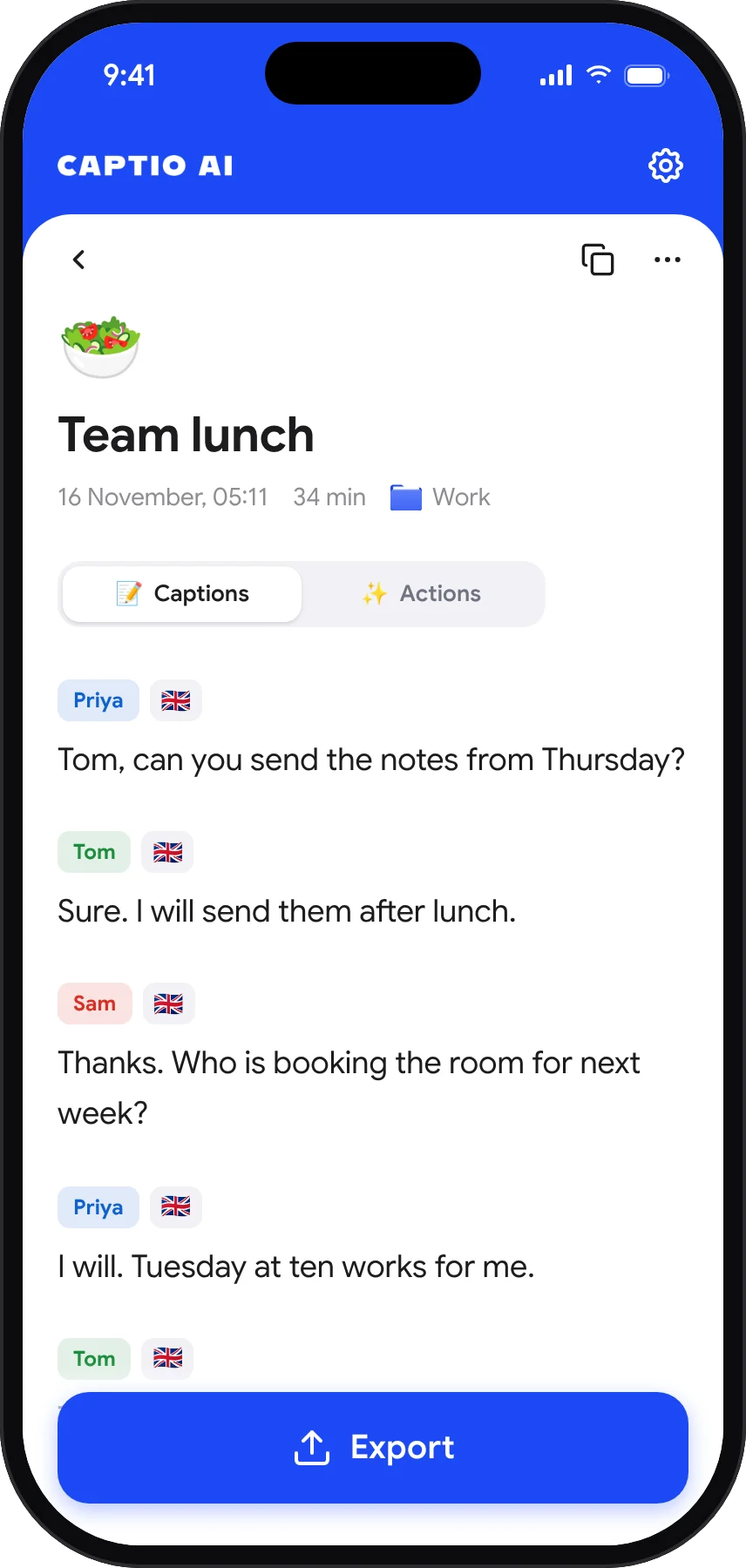
Captio AI, when you need to know who said what. Apple's pages cited here describe captions of the speech around you, not labels for each speaker13. At a group setting such as a family dinner or a team lunch, one stream of text without names makes it hard to follow who is answering whom. Captio AI separates speakers as Speaker 1 and Speaker 2 and lets you rename them. On iPhone, Recognize voices can show saved names such as "Priya" instead of "Speaker 1".
Which one is better for a lecture or a meeting?
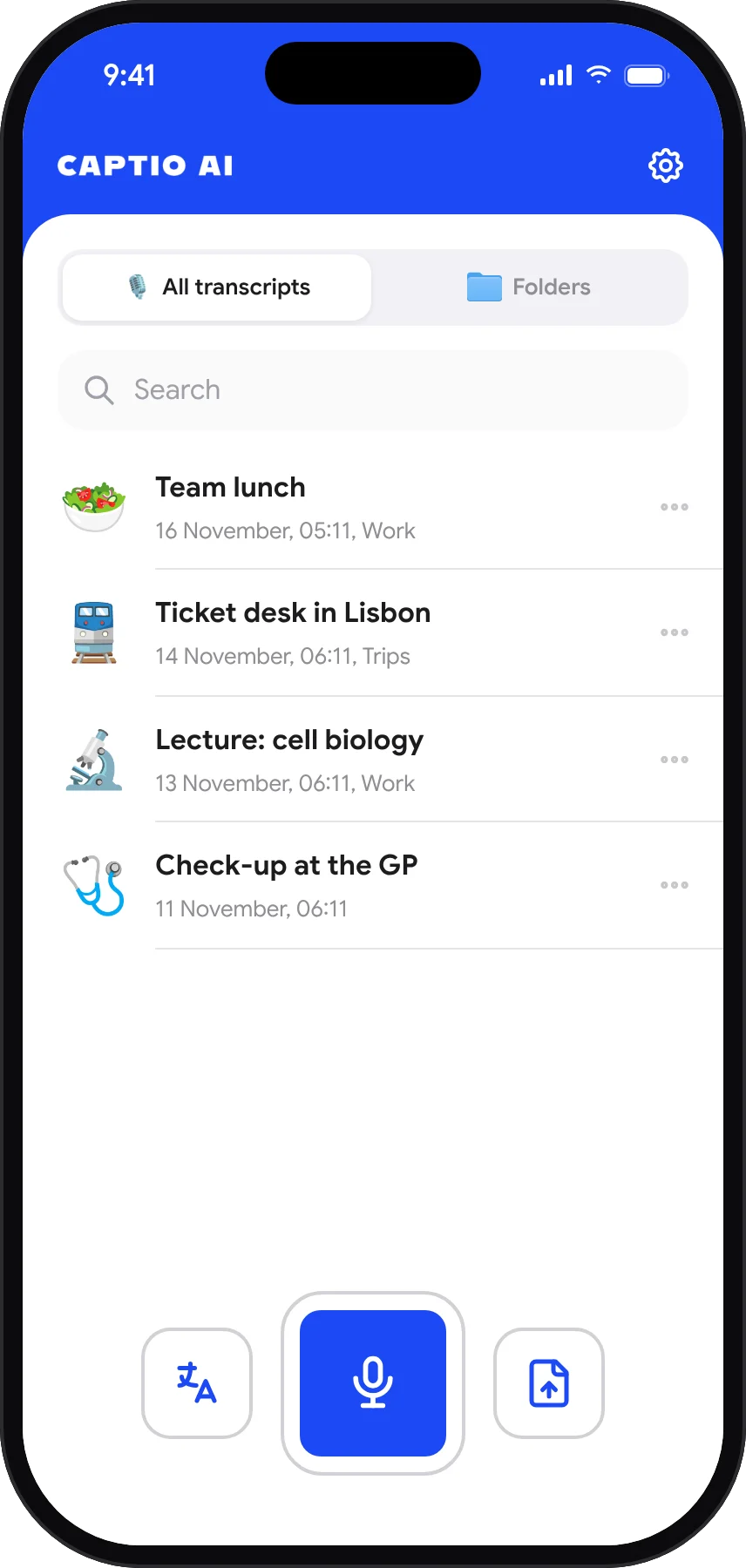
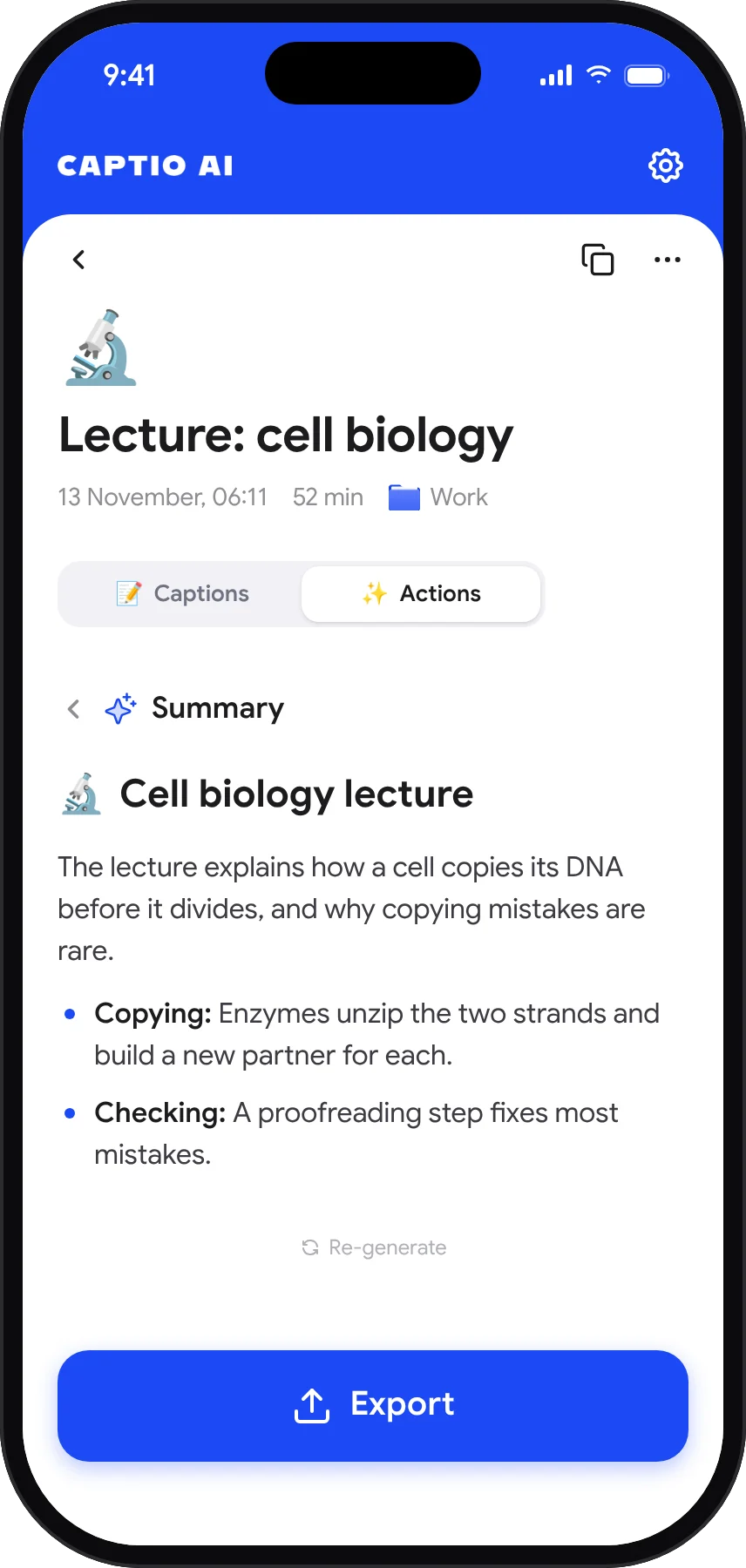
Captio AI, when you need the transcript afterwards. Apple's guide lets you copy the captions into Notes or Messages and take a screenshot of the window3, but it describes no library of recordings with audio, folders, search or summaries. In a lecture or a meeting, Captio AI saves each recording with its audio in a searchable library, sorted into folders on iPhone if you like. An AI Summary can turn the transcript into key points or to-dos. The free plan includes 3 AI summaries in total. A student who wants notes a week later, or a deaf employee who needs to check a decision, benefits from that. Captio AI also transcribes audio and video files you upload, which suits a recorded conference session.
Which one is better for travelling or a conversation in two languages?
Captio AI for a face-to-face conversation, because its Live Translator shows live translation next to the original captions. Apple's Live Captions transcribes. Apple's separate Live Translation translates Phone calls, FaceTime calls and Messages4. For in-person talk it works through supported AirPods, an iPhone 15 Pro or later, iOS 26 or later and Apple Intelligence5. Apple adds that Live Translation "might not be available in all regions or languages"4. A deaf traveller at a ticket desk in Portugal needs to read the answer, which is what captions plus translation on one screen give. See also how to caption a conversation in two languages.
Which one works without internet?
Apple's Live Captions is described as on-device, and Captio AI needs a connection for live captions. Apple says Live Captions gives "real-time, on-device-generated transcriptions of conversations"1, and its iPhone guide does not mention internet3. Captio AI asks before any audio is sent for processing, and live captions need an internet connection. Without one it still records, and the recording is transcribed when the phone reconnects. In a doctor's appointment in a clinic with no signal, Apple's feature is the safer pick. Captio AI does not store audio on its servers.
Which one is better for hearing a doorbell or an alarm?
Neither one is an alarm, and they work differently. Apple's Sound Recognition is separate from Live Captions. It listens for 15 sounds, including sirens, horns and a crying baby, and can be trained on your name and on sounds like appliance beeps or doorbells1. Captio AI's Recognize sounds is an iPhone feature that writes sounds such as [doorbell rings] into the captions and makes the phone vibrate for alerts, but only while captions run or a file is transcribed. It can miss sounds. For the doorbell at home when you are not captioning, Apple's setting is the better one.
Where Apple Live Captions is the better choice
Apple Live Captions is the better choice in six situations, all from Apple's own pages:
- You want it free and already installed. It is part of iOS on iPhone 11 and later3.
- You have no signal. Apple describes the transcriptions as generated on the device1.
- You want captions for audio from other apps. Tap iPhone Audio, for example for a podcast3.
- You want captions in phone and FaceTime calls. Apple says you can turn on Live Captions in Phone and FaceTime calls1. Captio AI is for in-person speech, not calls.
- You use an iPad, Mac or Apple Watch as well. Apple lists setup for all of them and Vision Pro1.
- You want sound alerts all day. Sound Recognition is a separate setting that listens for 15 sounds and notifies you1.
Where Captio AI is the better choice
Captio AI is the better choice when you need speaker names, a saved record or translation in the same app. It runs on iPhone and Android, covers 60+ languages, translates live, keeps recordings with their audio, transcribes uploaded files and writes summaries. On iPhone, captions keep going with the screen locked, which matters in a long conference session. Live captions need internet, Recognize voices, Speaker direction and Recognize sounds are iPhone features, and Captio AI does not replace a sign language interpreter or a human captioner. It is not for phone calls.
Which one should you use?
Start with Apple's feature, then add Captio AI for the gaps you meet:
- A quick chat, no signal, English: Apple Live Captions.
- A team lunch or family dinner where names matter: Captio AI.
- A lecture or meeting you need notes from: Captio AI.
- A doctor's appointment you want to review later: Captio AI, plus a human interpreter if you need one.
- Travelling in another language: Captio AI.
- A language outside Apple's 8: Captio AI.
- Captions for a podcast or video on your phone: Apple Live Captions.
For the row-by-row version with a link to every source, see the Captio AI vs Apple Live Captions compare page7. For a wider look, read the best live caption apps for deaf people. Prices and features change, so check Apple's pages and the store before you decide.

Read what people say, while they say it
Captio AI puts live captions on your phone for conversations, appointments, lectures and meetings, in 60+ languages. Free to start. Private by default.
Frequently asked questions
Is Apple Live Captions free on iPhone?
Yes. Live Captions is a setting inside iOS, found under Settings, Accessibility, Live Captions, and Apple's guide describes no charge or download [3]. Captio AI is free to download with 100 free credits a day, as of November 2026. Captio AI Plus removes the daily limit and costs US$14.99 a month or US$79.99 a year on the US App Store [6].
Can Apple Live Captions caption a lecture or a meeting in the room?
Yes, in the languages Apple lists. Tap Live Captions, then Microphone, to transcribe an in-person conversation [3]. Apple's guide lets you copy the captions into another app such as Notes or Messages [3], but it describes no library of recordings. For a lecture you want to revise from, Captio AI saves each recording with its audio and can write an AI Summary.
Does Apple Live Captions work for a German or Spanish speaker at a doctor's appointment?
It can, because Apple's list includes German (Germany) and Spanish for Mexico, Spain and the United States [2]. Apple's guide also says Live Captions isn't available in all languages, countries or regions [3], so check Settings on your own iPhone before the appointment. Captio AI covers 60+ languages with a language hint.
Does Apple Live Captions show who is talking in a group conversation?
Apple's iPhone guide and hearing page do not describe speaker labels for in-person captions [1][3]. Captio AI separates speakers as Speaker 1 and Speaker 2 and lets you rename them. On iPhone, Recognize voices can show the names of people whose voices you saved.
Can Apple Live Captions translate what someone says in Portuguese or Italian while I travel?
Not by itself. Live Captions transcribes. Apple's separate Live Translation translates Phone and FaceTime calls and Messages [4], and in person it works through supported AirPods on an iPhone 15 Pro or later with Apple Intelligence [5]. Captio AI's Live Translator shows live translation next to the original captions.
Does Apple Live Captions work without internet?
Apple says the transcriptions are generated on the device [1] and its iPhone guide does not mention an internet connection [3]. Captio AI needs an internet connection for live captions, but it can still record without one and transcribes the recording when the phone reconnects.
Does Apple Live Captions alert me to a doorbell or smoke alarm?
Not as part of Live Captions. Apple's separate Sound Recognition listens for 15 sounds, such as sirens, horns and a crying baby, and can be trained on your name and on sounds like appliance beeps or doorbells [1]. Captio AI's Recognize sounds on iPhone writes sounds like [doorbell rings] into the captions, but only while captions run.
Should I use Apple Live Captions and Captio AI together?
You can. Apple's feature is already on an iPhone 11 or later [3], so it costs nothing to try first. Many people add Captio AI for what Apple's pages do not describe: speaker names, saved recordings and summaries, uploads and live translation. It does not replace a sign language interpreter or a human captioner.
Sources
- 1Accessibility: Hearing (Live Captions, Live Listen, Sound and Name Recognition)Apple, 2026
- 2iOS and iPadOS Feature Availability: Accessibility, Live CaptionsApple, 2026
- 3Get live captions of spoken audio on iPhoneApple Support, iPhone User Guide, 2026
- 4Use Live Translation on iPhoneApple Support, 2026
- 5Use Live Translation with your AirPodsApple Support, 2026
- 6Live Captions - Captio AI AppApple App Store, 2026
- 7Captio AI vs Apple Live CaptionsCaptio AI compare page, every fact linked to Apple's own pages, 2026
Written by Nate from Captio AI. Published 16 November 2026. Every figure on this page links to its source. Spotted a mistake? hello@captioai.app