

Best apps for following a doctor's appointment with hearing loss
Apple Live Captions, Live Transcribe, Ava, Otter and Captio AI compared for doctor visits, with CART, interpreters and a pocket amplifier as the other options.
 Nate from Captio AI10 min read
Short answer
Start with the free captions built into your phone: Apple's Live Captions on iPhone [3] or Google Live Transcribe on Android [5]. Ava and Otter add saved transcripts with free-plan limits [6][7], and Captio AI, a live captioning app for deaf and hard of hearing people, adds summaries. In the US, the clinic must still give effective communication, such as CART or an interpreter [1].
184
language and region variants Apple lists for Live Captions, including Spanish for the US, Mexico and Spain
3 days5
how long Google keeps Live Transcribe history on the phone
30 min7
longest conversation on Otter's free Basic plan
no cost2
to the patient for the aids and services used in an outpatient visit, according to the Hearing Loss Association of America
On this page
- Doctor's appointment options at a glance
- Which app works best on an iPhone at the doctor's?
- Which app works best on an Android phone at the doctor's?
- Which app keeps the free plan long enough for a consultation?
- What does it cost to keep using one?
- Can a captioning app handle medical words?
- What can you take away from the visit afterwards?
- What do the clinic's own services add?
- Is a personal amplifier a better choice than an app?
- Which situations suit which option?
- Where are the other options the better choice?
- Which one should you use?
The best way to follow a doctor's appointment with hearing loss is to use two channels at once: the support the clinic must arrange, and a captioning app on your own phone. In the US, the ADA lists real-time captioning (CART) and interpreters among the aids a covered provider can use1. Apple's Live Captions, Google Live Transcribe, Ava, Otter and Captio AI are phone options that need nothing from the clinic. This comparison uses each company's own pages, opened in November 2026.
An app is a second way to read what is said, not a replacement for your right to clear communication. The Hearing Loss Association of America (HLAA) says the aids and services you use for an outpatient visit are at no cost to you, your family or your caregiver2. This is information, not medical or legal advice. For your own case, ask the practice, your audiologist or a disability rights organisation. Our guide to following a doctor's appointment when you are hard of hearing covers the booking call and your rights in more detail.
Doctor's appointment options at a glance
The table puts what each company or body states side by side. "Not stated" means the page I opened does not say.
| Apple Live Captions | Google Live Transcribe | Ava | Otter | Captio AI | CART or an interpreter from the clinic | |
|---|---|---|---|---|---|---|
| Captions the doctor in the room | Yes, through the device microphone3 | Yes, through the microphone5 | Captions in 20+ languages6 | "Live transcription" on the free Basic plan; in-person use is not stated7 | Yes, live captions9 | A person types or signs1 |
| Platforms | iPhone, iPad, Mac, Apple Watch, Apple Vision Pro3 | Android, preinstalled on Pixel5 | iOS, Android, PC, web6 | iOS and Android apps, Mac and Windows downloads7 | iPhone, iPad, Apple Watch, Android9 | Arranged by the clinic |
| Needs internet | Captions are generated on the device3 | Yes, unless you use an offline language5 | Not stated | Not stated | Yes9 | No |
| Saved transcript | Not stated | History kept up to 3 days5 | Not stated | Not stated | Yes, searchable library | Depends on the provider |
| Summary after the visit | Not stated | Not stated | Not stated | Not stated | AI Summary, 3 AI results free in total12 | Not stated |
| Free plan | Built in; price not stated | Price not stated | Up to 40 minute sessions6 | 300 minutes a month, 30 per conversation7 | 100 free credits a day14 | No cost to you for an outpatient visit2 |
| Medical wording | Not stated | Google does not intend Live Transcribe to create US HIPAA obligations5 | HIPAA line in plan tables6 | HIPAA as an add-on on Enterprise7 | Add your own terms under Words and names9 | A trained person |
Which app works best on an iPhone at the doctor's?
Apple's Live Captions is the first free thing to try on an iPhone, because Apple says it can "capture and caption live, in-person speech through the microphone in your device"3. Apple's feature availability page lists 18 language and region variants, including English for the US and the UK, and Spanish for the US, Mexico and Spain4. A Spanish speaker at a doctor's appointment in the US is therefore covered on paper, and our page on Spanish doctor's appointments covers Captio AI's Spanish varieties. The pages I opened do not say whether a Live Captions session can be saved as a transcript, so test this before you rely on it for notes.
Apple also describes Live Listen, which sends the sound from the phone's microphone to compatible headphones or hearing devices, and says you can view Live Captions on a paired Apple Watch during a Live Listen session3. That setup suits a consulting room where you want sound and text together.
Captio AI is an iPhone app that adds a saved library, an AI Summary and translation. Its Live Captions page states it needs an internet connection9.
Which app works best on an Android phone at the doctor's?
Google Live Transcribe is the built-in route on Android: Google says you can use it to capture speech and sound, and it is already installed on Pixel phones and select other Android phones5. It needs an internet connection unless you use an offline language, and the history stays in the app for up to three days5. At the bottom of the screen a Type button lets you answer by keyboard, which helps when the doctor needs a reply5.
Captio AI also runs on Android. Captions pause when you leave the app, so keep it open for the whole visit.
Which app keeps the free plan long enough for a consultation?
A doctor's appointment is often shorter than a lecture, so free-plan ceilings matter less here, but they still differ. Ava's free plan has "up to 40-min" captioned sessions6. Otter's free Basic plan has 300 transcription minutes a month and a maximum of 30 minutes per conversation7. Captio AI counts in credits, not minutes: 100 free credits a day14, and Captio AI Plus is the paid plan. If your visit includes a long wait and a long consultation, start captions when the doctor starts talking, not in the waiting room.
What does it cost to keep using one?
Prices change, so these are the US figures shown as of November 2026. Otter Pro is US$16.99 a month, with a promotional price beside it, and US$8.33 a month billed annually7. Ava's Community plan shows US$14.99 and US$9.99 a month beside a monthly or yearly toggle, and the page does not say which applies to which period6. Captio AI Plus is US$14.99 a month or US$79.99 a year on the US App Store, and prices differ by country. Apple's and Google's built-in tools list no price on the pages I opened35.
Can a captioning app handle medical words?
A captioning app can get a drug name or a diagnosis wrong, so treat the screen as a guide and confirm names and doses in writing. HLAA suggests asking for all information about your treatment plan and medicines in writing, and asking whether a new medicine might affect your hearing, balance or tinnitus2. Captio AI lets you add names, medical terms or specialist words to Words and names before the visit9, and the long-press fix described in how to fix wrong words in a transcript corrects a word everywhere in the recording.
Health privacy rules differ by tool. Google's help page says it does not intend use of Live Transcribe to create obligations under the US HIPAA law5. Ava lists "HIPAA, GDPR Compliance" in its plan tables, but the same page labels its Community plan "Not an ADA-compliant plan" and does not make clear which plans carry the HIPAA line6. Otter lists "HIPAA compliance (add-on)" under Enterprise7. Those are statements on the companies' pages, not a guarantee for your clinic, so ask your provider if you are unsure.
What can you take away from the visit afterwards?
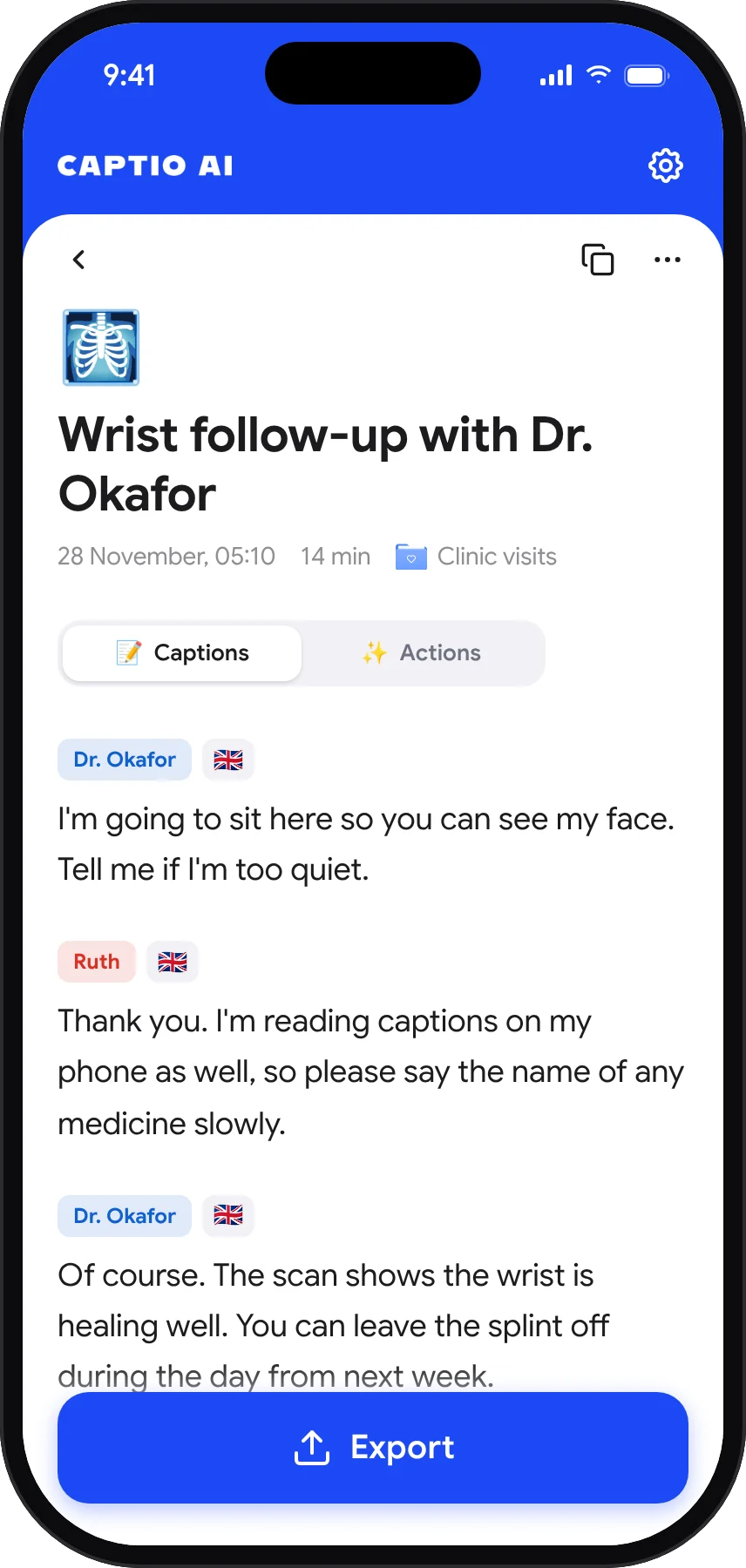
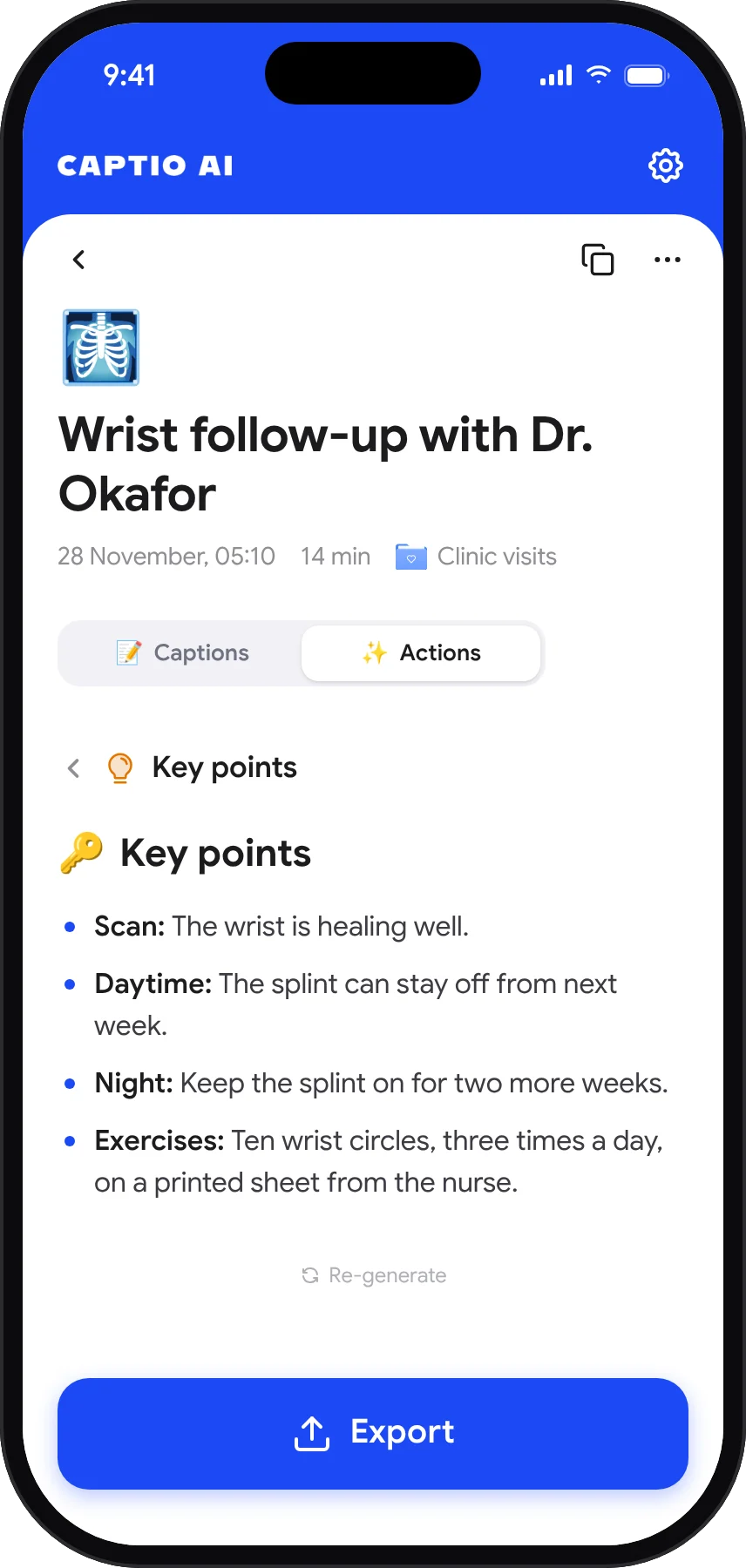
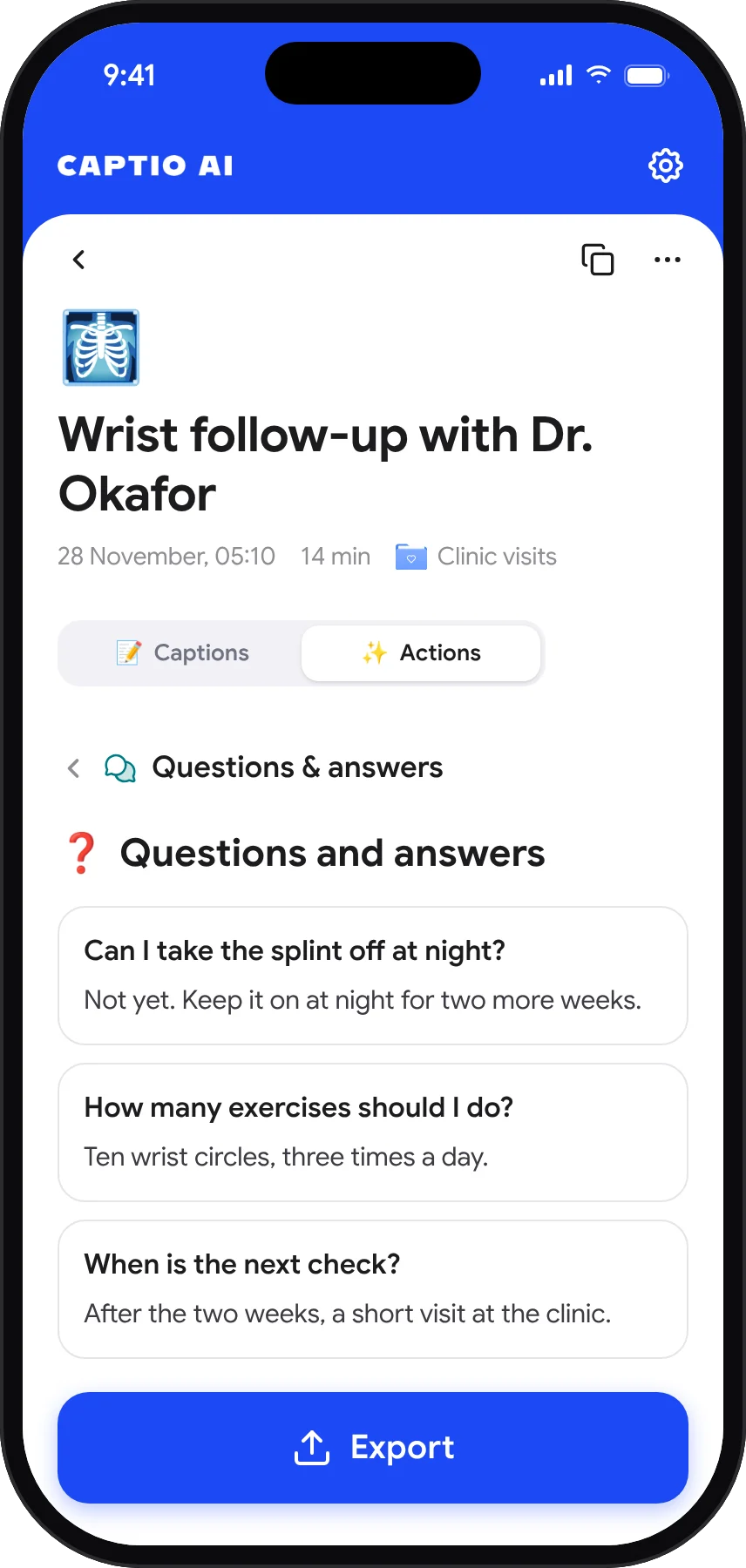
Captio AI's AI Summary and actions turn a transcript into a Summary, Key points, Detailed notes, To-dos, Questions and answers or a Follow-up message, and the free plan includes 3 AI results in total12 (see AI Summary and actions). The Captio AI page for doctor's appointments says the Summary pulls diagnosis, medication and follow-up steps from a saved transcript8. Check any summary against what you were told, and against the written instructions you asked for2. You can share a transcript as text, a link, a PDF or an email (see Export), for example with a family member who helps with your care.
Google Live Transcribe keeps history for up to three days5, so if you want to keep a visit, save or export it the same day.
What do the clinic's own services add?
The clinic's services are the part no app replaces. The ADA.gov page on effective communication lists real-time captioning and written materials among aids for people who are deaf, and says an interpreter will generally be needed for the medical history of a patient who uses sign language1. It also says a covered entity cannot require you to bring someone to interpret for you, and that a companion may be relied on only in two situations1. If a clinic chooses video remote interpreting (VRI), the same page sets standards such as real-time, full-motion video and audio over a dedicated high-speed connection and a clear, audible transmission of voices1. Our explainer on CART captioning describes how a typist's words reach a screen.
In England, one NHS trust describes the Accessible Information Standard as a national standard that all NHS and adult social care services have to follow, with six steps: identify, record, flag, share, meet and review11. A British Sign Language interpreter and a longer appointment are among the examples of support it lists11.
Is a personal amplifier a better choice than an app?
A personal amplifier is a better choice when you hear speech but need it louder, rather than as text. Williams AV describes its Pocketalker personal listening systems as delivering "superior audio directly to your ears", with an external or internal microphone and headphones or a neckloop10. The page I opened lists no price and does not describe a clinic use beyond naming information from your healthcare professional among the things you might not want to miss10. Apple's Live Listen is a built-in version of the same idea for compatible headphones and hearing devices3.
Which situations suit which option?
Each part of a medical day asks for something different.
- A GP or specialist consultation: put the phone between you and the doctor with the microphone facing them, and tell them you are reading captions so they look at you when they speak. Captio AI's page for doctor's appointments suggests briefly mentioning the app so the doctor faces the microphone8.
- The pharmacy counter: hold the phone toward the person speaking in a busy place8.
- An emergency room or A&E: speak to staff first about communication support, because the ADA says a covered entity must give effective communication1. A phone app can be a second channel while services arrive.
- A visit with a family member: a caption screen lets you follow when the doctor talks to your relative. The ADA notes that hospital staff often talk to a patient's relative or friend about the patient's condition1.
- Afterwards at home: ask for medicines in writing2, then use a Summary or To-dos to rebuild what was said, keeping recordings together in a folder.
Where are the other options the better choice?
The others win in specific places. Apple's Live Captions comes with the iPhone, needs no new app, and also works on the Apple Watch, Mac and Apple Vision Pro3. Google Live Transcribe is preinstalled on Pixel phones and some devices can download offline languages5. Ava's page lists captions in 20+ languages and a free plan of up to 40 minutes6; see our Captio AI vs Ava comparison for its group features. Otter has a free plan with 300 minutes a month7. Clinic-provided CART or an interpreter is the right pick when you need a trained person and a record you can rely on1. A Pocketalker-type amplifier suits you if you hear speech but want it louder10.
Captio AI is not the right pick if you want one tool with no internet, because its live captions need a connection9. For a wider list, see our best live caption apps for deaf people.
Which one should you use?
Start with the free built-in option for your phone, try it in a low-stakes visit, and ask the clinic for CART or an interpreter if you need one. Add a captioning app with a summary if you want the visit afterwards. Captio AI, a live captioning app for deaf and hard of hearing people, is one option among them, and its captions can contain mistakes, so confirm names and doses with your doctor. About 430 million people worldwide need rehabilitation for disabling hearing loss, according to the World Health Organization (WHO)13, so you are not the first to ask for this.

Read what people say, while they say it
Captio AI puts live captions on your phone for conversations, appointments, lectures and meetings, in 60+ languages. Free to start. Private by default.
Frequently asked questions
What is the best free app for understanding my doctor on an iPhone?
Apple's Live Captions is the first free option to try on an iPhone, because Apple says it captions live, in-person speech through the device's microphone [3]. Captio AI's free plan, with 100 free credits a day, is another free route [14]. Test either in a low-stakes visit first.
Does the clinic have to provide captioning or an interpreter in the US?
The ADA.gov page on effective communication lists real-time captioning and interpreters among aids for people who are deaf, and says an interpreter will generally be needed for the medical history of a patient who uses sign language [1]. This is legal information, not legal advice. Ask the practice about your own case.
Can I use live captions at a doctor's appointment in Spanish?
Apple lists Spanish for the US, Mexico and Spain among the 18 language and region variants for Live Captions [4]. Captio AI, a live captioning app for deaf and hard of hearing people, has a page for [Spanish doctor's appointments](/use-cases/doctor-appointments/spanish). Check the app on a sample conversation before your visit.
Do I have to pay for captioning or an interpreter at an outpatient visit?
The Hearing Loss Association of America says the services and aids you use for your visit are at no cost to you, your family or your caregiver [2]. That covers what the clinic arranges, not an app you choose to buy yourself.
What are my options at a UK NHS appointment?
One NHS trust describes the Accessible Information Standard as a national standard for all NHS and adult social care services in England, which asks them to identify, record, flag, share, meet and review your communication needs [11]. A British Sign Language interpreter and a longer appointment are among its examples of support [11].
Can a captioning app handle medical terms and drug names?
It can still get them wrong. Captio AI lets you add medical terms and specialist words to Words and names before the visit [9], and HLAA advises asking for your treatment plan and medicines in writing [2]. Confirm names and doses with your doctor or pharmacist.
Sources
- 1ADA Requirements: Effective CommunicationU.S. Department of Justice, Civil Rights Division (ADA.gov), 2020
- 2Communication in Outpatient Settings (Patients)Hearing Loss Association of America, 2024
- 3Hearing accessibility featuresApple, 2026
- 4iOS and iPadOS feature availability: Live CaptionsApple, 2026
- 5Use Live Transcribe (Accessibility Help)Google, 2026
- 6Ava pricingAva, 2026
- 7Otter pricingOtter.ai, 2026
- 8Live captions for doctor's appointmentsCaptio AI, 2026
- 9Live CaptionsCaptio AI, 2026
- 10Pocketalker personal listening systemsWilliams AV, 2026
- 11Accessible Information Standard (AIS)Devon Partnership NHS Trust, 2026
- 12AI Summary and actionsCaptio AI, 2026
- 13Deafness and hearing loss (fact sheet)World Health Organization, 2026
- 14Captio AI on Apple WatchCaptio AI, 2026
Written by Nate from Captio AI. Published 28 November 2026. Every figure on this page links to its source. Spotted a mistake? hello@captioai.app