

Captio AI vs Google Live Transcribe: which is better?
Live Transcribe is free, Android only and keeps transcripts 3 days. Captio AI runs on iPhone and Android with 60+ languages. Compared for 8 situations.
 Nate from Captio AI7 min read
Short answer
Google Live Transcribe is the better pick if you have an Android phone and want free captions with sound alerts in over 80 languages and dialects [2]. Captio AI, a live captioning app for deaf and hard of hearing people, is the pick if you use an iPhone, where Google offers no Live Transcribe [5], or want live translation, saved recordings and summaries. Both caption in-person speech through the phone's microphone.
80+2
languages and dialects in Google Live Transcribe, per its Google Play listing
3 days1
how long Live Transcribe keeps transcription history, if you turn it on
0 USD2
price of Live Transcribe on Google Play (US listing, November 2026)
On this page
- Captio AI vs Google Live Transcribe at a glance
- Which one works on iPhone?
- Which one works without internet?
- Can Live Transcribe show who is talking?
- Which one is better for a lecture or a meeting?
- Which one is better for travelling or a conversation in two languages?
- Which one is better for hearing a doorbell or smoke alarm?
- Where Google Live Transcribe is the better choice
- Where Captio AI is the better choice
- Which one should you use?
Google Live Transcribe and Captio AI both turn speech in the room into text on your phone, and the right one mostly depends on your phone. Live Transcribe is free and Android only2. Captio AI, a live captioning app for deaf and hard of hearing people, runs on iPhone and Android and adds live translation, saved recordings and summaries. This comparison uses Google's own pages, opened in November 2026, and says where Google's app is the better choice.
Captio AI vs Google Live Transcribe at a glance
Live Transcribe is free, already installed on Pixel and select other Android phones1 and covers over 80 languages and dialects, while Captio AI covers iPhone as well and adds translation, a library and summaries. The table puts both on the same rows, using what each company says on its own pages.
| Google Live Transcribe | Captio AI | |
|---|---|---|
| Phones | Android, needs Android 12 or later on Google Play2. Already installed on Pixel and select other Android phones1 | iPhone and Android |
| Languages | Over 80 languages and dialects2; a secondary language can be set1 | 60+ languages for captions and translation |
| Without internet | Yes, in downloaded offline languages1 | Records without internet and transcribes later; live captions need a connection |
| Who is talking | Not described on Google's pages12 | Speaker 1, Speaker 2, renamable; saved names with Recognize voices on iPhone |
| Translation | Not described for spoken language1 | Live Translator, next to the original captions |
| Saved transcripts | Not saved by default; optional, kept up to 3 days12 | Library with audio, synced to your account |
| Sound alerts | Sound Notifications: alarms, doorbell, baby, more3 | Recognize sounds on iPhone, written into the captions |
| Custom words | Yes1 | Words and names |
| Price (November 2026) | 0 USD on Google Play, US listing2 | Free, 100 free credits a day; Plus US$14.99 a month or US$79.99 a year, US App Store |
Which one works on iPhone?
Captio AI works on iPhone, and Live Transcribe does not. Google describes Live Transcribe as working "using just your Android phone"2, and a search of Apple's US App Store for "live transcribe" in November 2026 returned an app of that name from Mighty Fine Apps LLC, not Google5. So an iPhone user looking for Google's app will not find it. Captio AI is on the App Store6 and on Google Play (released October 2026), which helps in a family where a deaf parent uses an iPhone and a hearing child uses Android.
Which one works without internet?
Live Transcribe works without internet in downloaded languages, and Captio AI does not caption live without a connection. Google says to stay connected to the internet "unless you're using one of the offline languages"1. The cloud approach was a deliberate choice: Google Research wrote in 2019 that relying on cloud speech recognition gives greater accuracy4. Captio AI needs a connection for live captions, but without one it still records, and the recording is transcribed when the phone reconnects. For a doctor's appointment in a clinic basement with no signal, an Android phone with a downloaded language is the safer pick.
Can Live Transcribe show who is talking?
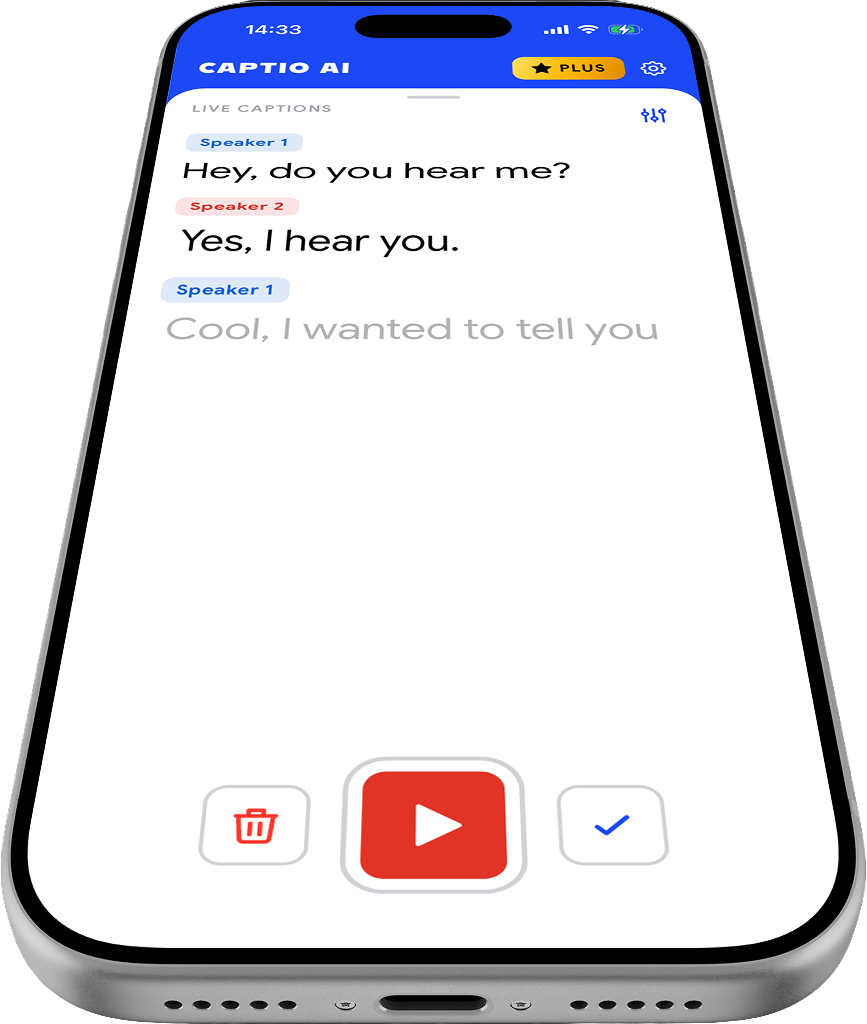
Google's pages do not describe it, while Captio AI separates speakers and can show names. Neither Google's help page nor its Play listing mentions speaker labels12, and Google's 2019 post listed "speaker-separation" among potential future improvements4. In a group setting such as a family dinner, a single stream of text without names is hard to follow. Captio AI labels speakers as Speaker 1 and Speaker 2 and lets you rename them. On iPhone, Recognize voices can show the name of someone whose voice you saved, like "Mum" instead of "Speaker 2". That feature is iPhone only.
Which one is better for a lecture or a meeting?
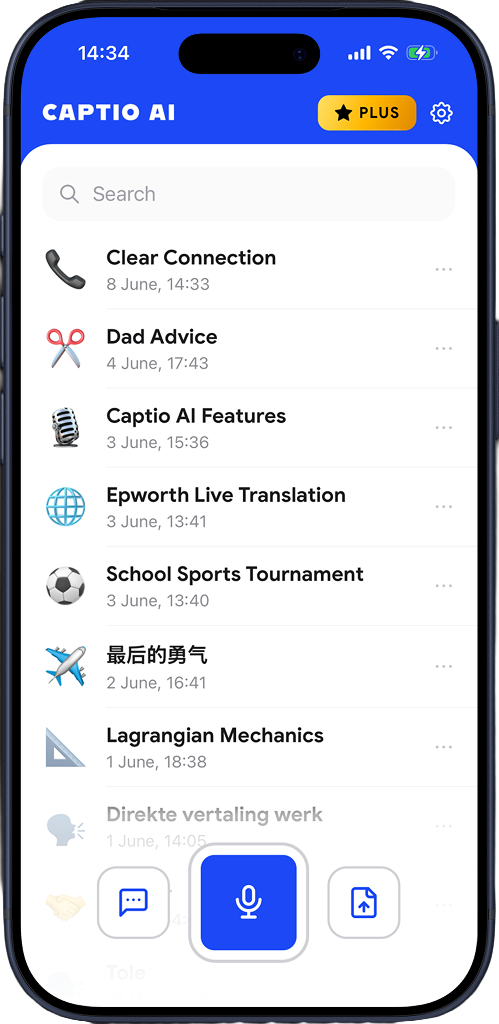
Captio AI is better when you need the transcript afterwards, and Live Transcribe is better when you only need captions in the moment. By default Live Transcribe does not save transcriptions, and you can choose to keep them for 3 days2; the help page also lists "Export all stored transcription" in settings1. In a lecture or a meeting, Captio AI keeps each recording with its audio in a searchable library, and an AI Summary can turn it into key points or to-dos. The free plan includes 3 AI summaries in total. A student who wants notes a week later, or a deaf employee who needs to check a decision, benefits from that.
Which one is better for travelling or a conversation in two languages?
Captio AI is the one built for translation in conversation. Its Live Translator shows live translation next to the original captions, switched on with a Translate toggle.
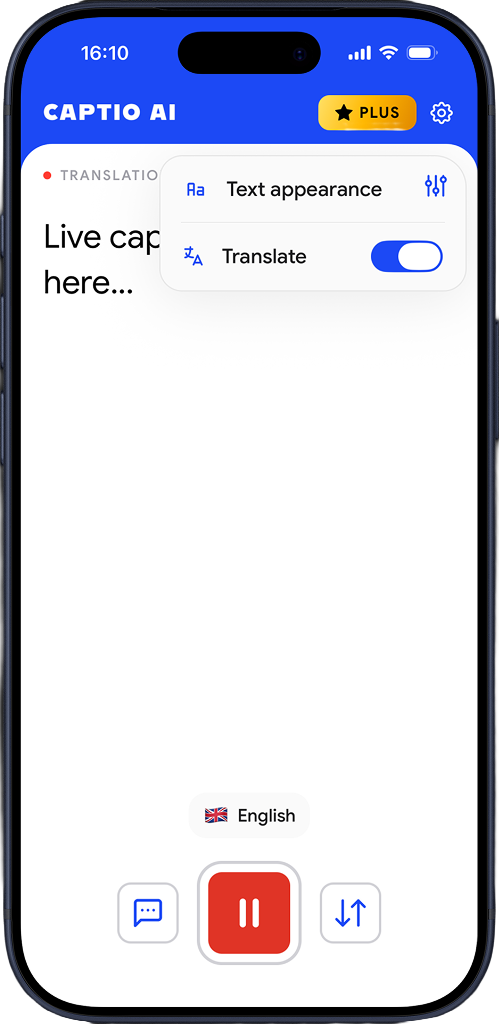
The Live Transcribe pages cited here describe captions in the spoken language and a secondary-language setting1, and no translation between spoken languages. When you travel and a shop assistant speaks a language you do not, that gap matters.
Which one is better for hearing a doorbell or smoke alarm?
Live Transcribe, because Sound Notifications always checks for the sounds you pick. Google's help page says the phone "always checks for sounds you want notifications about" once turned on, and lists smoke and fire alarms, sirens, baby sounds, dog barking, knocking, a doorbell, appliance beeping, a landline ringing and running water, with vibration or a camera flash as alerts3. It says all the audio the device hears stays on the device3. Captio AI's Recognize sounds is different: on iPhone it writes sounds like [doorbell rings] into the captions and makes the phone vibrate for alerts, but only while captions run or a file is transcribed. It is not an always-on alarm.
Where Google Live Transcribe is the better choice
Live Transcribe is the better choice in six situations, all from Google's own pages:
- You want free captions with no daily limit. The Play listing shows a price of 0 USD2. Captio AI's free plan is 100 free credits a day.
- You have an Android phone and often lose signal. Offline languages work without internet1.
- You want one app for captions and sound alerts. Sound Notifications is part of the same app23.
- You need more languages. Google lists over 80 languages and dialects2, against 60+ for Captio AI, which is counted differently, so check your own language in both.
- You use sign language as well as speech. Live Transcribe's help page describes sign-to-text, which turns American Sign Language into English text through the front camera1. Captio AI does not do sign language.
- You want it already on the phone. Live Transcribe comes installed on Pixel and select other Android phones1.
Where Captio AI is the better choice
Captio AI is the better choice when you use an iPhone, need translation, or need the conversation kept. It runs on iPhone and Android, translates live, keeps recordings with their audio, transcribes uploaded audio and video files, and writes summaries. On iPhone it keeps captioning with the screen locked, which matters in a long conference session. On Android, captions pause when you leave the app, and Recognize voices, Speaker direction and Recognize sounds are iPhone features. Live captions need internet. Captio AI does not replace a sign language interpreter or a human captioner, and it is not for phone calls.
Which one should you use?
Pick by phone first, then by what you need afterwards:
- Android, a quick chat, no signal: Live Transcribe.
- iPhone, any conversation: Captio AI, since Live Transcribe is not there5.
- A lecture or meeting you need notes from: Captio AI.
- Everyday conversations such as a family dinner on iPhone: Captio AI, with saved names for the people you talk to most.
- Travelling in another language: Captio AI.
- Alarms and the doorbell at home on Android: Live Transcribe with Sound Notifications.
The two are not rivals for everyone. Some people keep Live Transcribe on an Android phone for always-on sound alerts and use Captio AI where they need translation or a record of what was said. For the full row-by-row version with a link to every source, see the Captio AI vs Live Transcribe compare page7. Prices and limits change, so check the store before you decide. Both apps depend on a clear signal from the speaker, so hold the phone, or put it on the table, close to the person talking: Google gives the same tip for Live Transcribe, to hold the device microphone near the person or sound you want to capture1.

Read what people say, while they say it
Captio AI puts live captions on your phone for conversations, appointments, lectures and meetings, in 60+ languages. Free to start. Private by default.
Frequently asked questions
Is Google Live Transcribe available on iPhone?
No. Google describes Live Transcribe as working on an Android phone [2], and a search of Apple's US App Store in November 2026 finds an app called Live Transcribe from Mighty Fine Apps LLC, not from Google [5]. Captio AI runs on iPhone and on Android.
Does Live Transcribe work without internet?
Only in downloaded offline languages. Google says to stay connected to the internet unless you use one of the offline languages [1]. Captio AI needs an internet connection for live captions, but it can still record without one and transcribes the recording when the phone reconnects.
Can Live Transcribe caption a doctor's appointment in Spanish or German?
Live Transcribe covers over 80 languages and dialects [2], but the pages cited here do not list them, so check Spanish or German in the app before the appointment. Captio AI covers 60+ languages and lets you set a language hint. It is one tool, not a replacement for an interpreter.
Does Live Transcribe save transcripts of a lecture?
Only if you ask it to, and only for a short time. By default Live Transcribe does not save transcriptions, and you can choose to keep them for 3 days [2]. Captio AI saves each recording with its audio in a searchable library synced to your account, which suits lectures.
Does Live Transcribe show who is talking in a group conversation?
Google's help page and Play listing do not describe speaker labels, and in 2019 Google listed speaker separation as a possible future improvement [4]. Captio AI separates speakers as Speaker 1 and Speaker 2 and lets you rename them. On iPhone, Recognize voices can show saved names.
Can Live Transcribe alert me to a doorbell or smoke alarm?
Yes. Sound Notifications, in the same app, can alert you by vibration or camera flash to smoke and fire alarms, a doorbell, knocking, a crying baby and other sounds [3]. Captio AI's Recognize sounds on iPhone writes sounds such as a doorbell into the captions, but only while captions run.
Is Captio AI free like Live Transcribe?
Captio AI is free to download with 100 free credits a day, as of November 2026. Captio AI Plus removes the daily limit and costs US$14.99 a month or US$79.99 a year on the US App Store. Live Transcribe's Google Play listing shows a price of 0 USD [2].
Which is better for travelling abroad with a language you don't speak?
For translation, Captio AI, because Live Translator shows live translation next to the original captions. The Live Transcribe pages cited here describe captions in the spoken language, with an optional secondary language [1], not translation between languages.
Sources
- 1Use Live TranscribeAndroid Accessibility Help, Google, 2026
- 2Live Transcribe & NotificationGoogle Play (US listing), 2026
- 3Sound Notifications: Get notified about important sounds around youAndroid Accessibility Help, Google, 2026
- 4Real-time Continuous Transcription with Live TranscribeGoogle Research, 2019
- 5App Store search results for live transcribe (US store)Apple iTunes Search API, 2026
- 6Live Captions - Captio AI AppApple App Store, 2026
- 7Captio AI vs Google Live TranscribeCaptio AI compare page, every fact linked to Google's own pages, 2026
Written by Nate from Captio AI. Published 9 November 2026. Every figure on this page links to its source. Spotted a mistake? hello@captioai.app